Start Tribute with Bella
Ternvia
Tell the Story. Shape the Tribute.
Gentle Tribute, Beautiful Goodbye

Ternvia

Tell. Shape. Hold.

Tell the Story. Shape the Tribute.

Gentle Tribute, Beautiful Goodbye.

“Because every memory, every choice, and every detail deserves to be carried with care.”

Start Legacy Path with Bella

Bella Legacy Guide

Bella can help you begin before you know what to do.

She can guide a family through immediate aftercare, planning ahead, documents, photos, memories, provider notes, and the Tribute Imprint when they are ready.

A gentle clickable walkthrough showing how families can tell the story, shape the tribute, and hold what matters while Bella listens and Ternvia's Adaptive Tribute Logic System (ATLS) organizes memories, photos, voice notes, symbols, tone, product rules, engraving zones, approvals, documents, and Vault records into one connected Tribute Imprint workflow. The family creates one Tribute Imprint Record, and that same record carries the tribute into memorial selection, preview, approval, production, partner routing, document storage, and Vault preservation. Built on U.S. Patent No. 8,364,549 B2.

ATLS stands for Adaptive Tribute Logic System. It is the structured Ternvia process that connects the Tribute Imprint Record to product selection, document handling, permission tracking, engraving layouts, proof approval, production routing, and Vault preservation.

The patent-protected foundation is expressed on the website as a practical workflow: one organized Imprint can carry the story, images, choices, records, final-wish notes, and approved memorial layouts through the full memorial process.

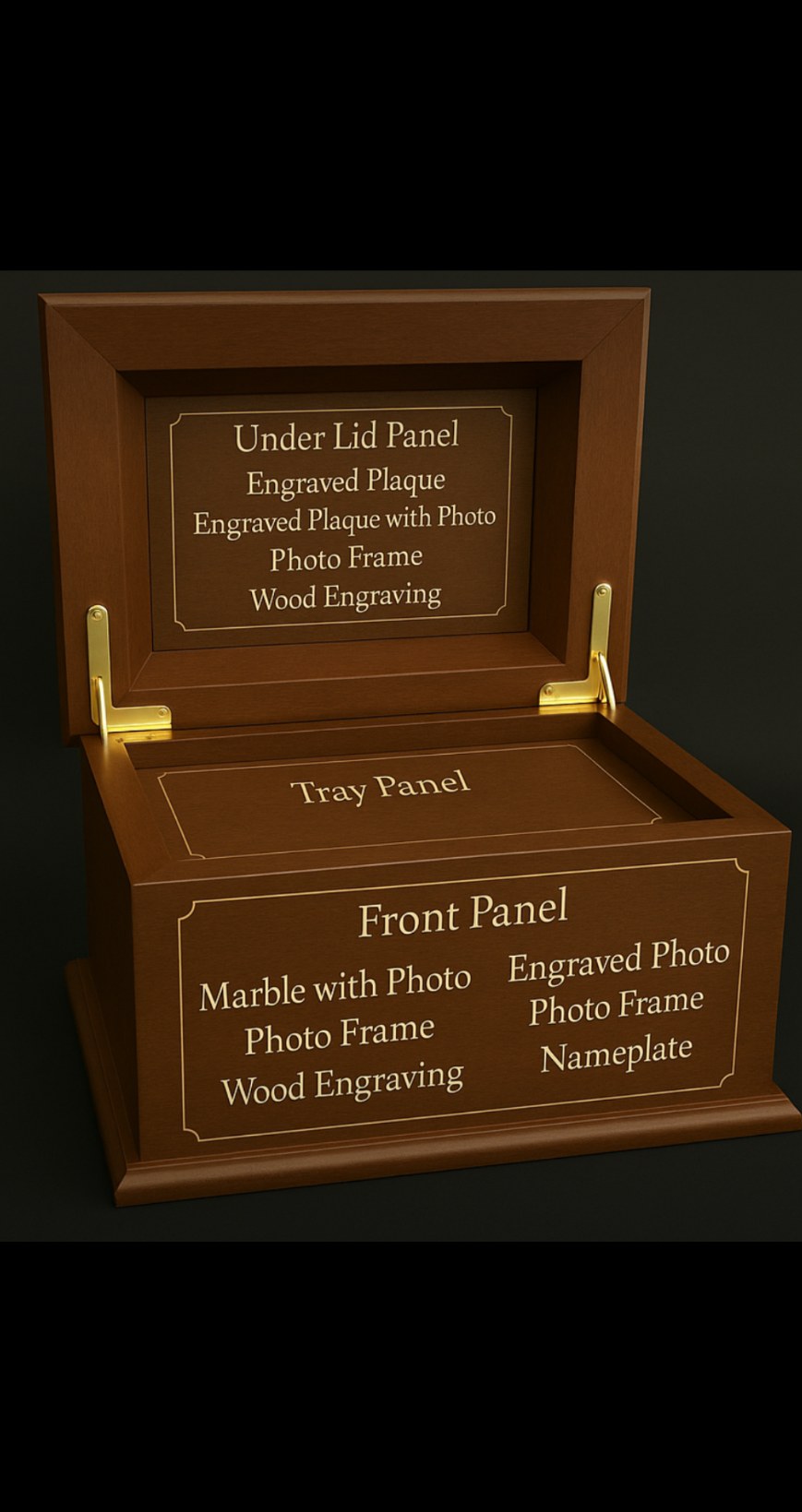
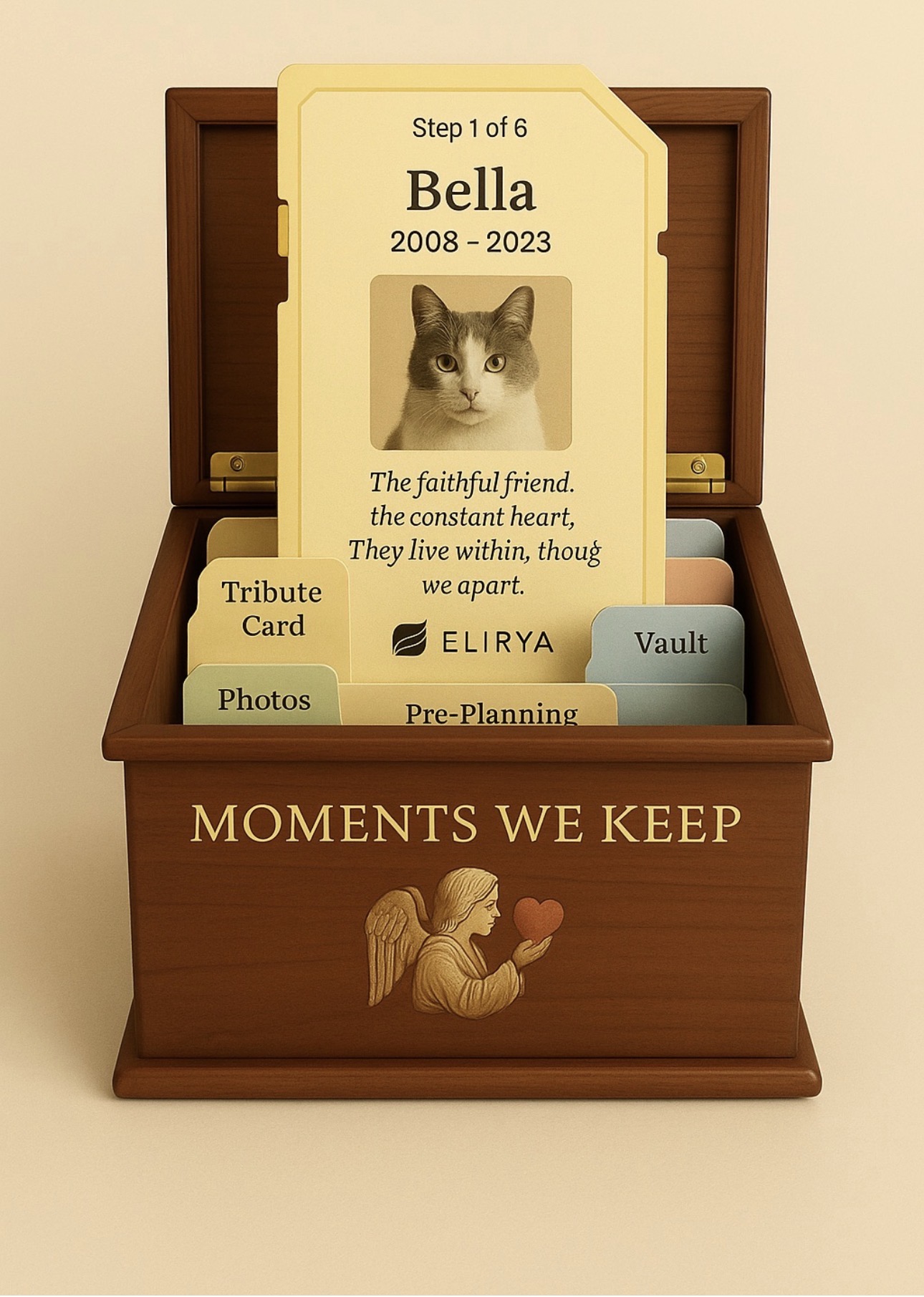
Gentle Tribute, Beautiful Goodbye vault box
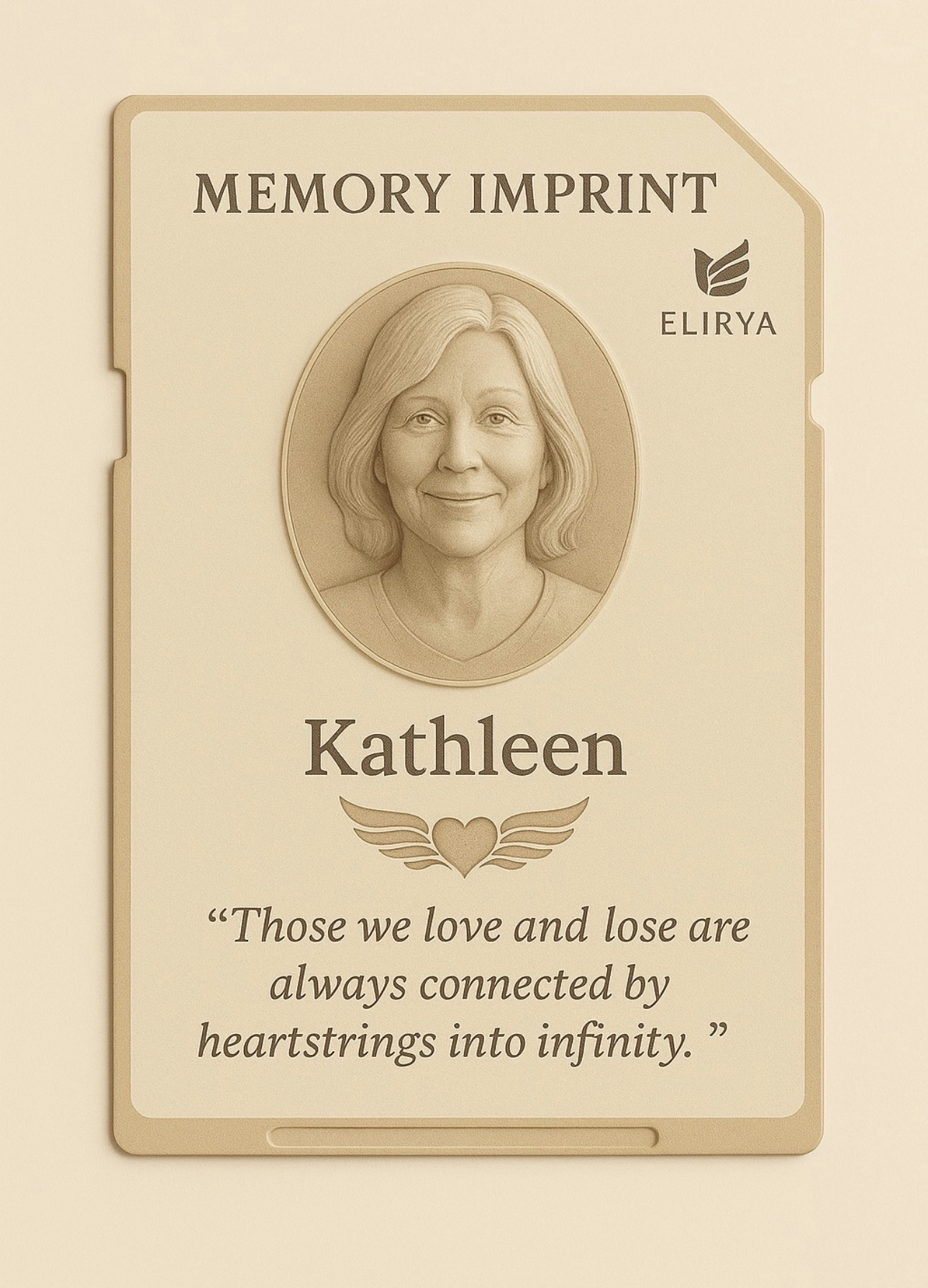
Kathleen Jacobs 1962–2023 · Open sample pre-planning journey

KATHLEEN JACOBS · SAMPLE PRE-PLANNING PROCESS

Kathleen’s Tribute Imprint, from pre-planning to Vault.

This is a clickable sample showing how Kathleen or her family could use the Ternvia process: Bella asks gentle questions, shapes a poem, regenerates the tone, prepares the photo, maps the Imprint to the urn, organizes documentation, invites collaboration, and carries final wishes through BoxChain into the Vault.

Color portrait of Kathleen Jacobs

Kathleen Jacobs

1962–2023

Because every memory, every choice, and every detail deserves to be carried with care.

Pre-planningFamily storyFinal wishes

Step 1 · Pre-planning Imprint

Kathleen starts with the card shown on the homepage.

This sample card represents Kathleen’s starting point: her name, dates, photo, tone, story direction, family approvals, and final-wish notes. The product does not come first — the Imprint does.

Because Kathleen is pre-planning, the card can be built gently over time and later carried into Bella, documents, urn mapping, proofing, BoxChain follow-through, and Vault preservation.

Bella Conversation

Bella

Tell me about Kathleen in your own words. You do not have to organize it. Just talk to me.

Family / Kathleen

She made ordinary days feel cared for. She left notes, remembered everyone’s favorite foods, and always made the house feel warm.

Bella

Tell me more about the little things people would recognize as Kathleen.

Family / Kathleen

Her recipes, her laugh at the kitchen table, the way she checked on people quietly, and how she made everyone feel like they mattered.

Kindness Family Kitchen table Handwritten notes Gentle + grateful tone

Step 2 · Bella Conversation

People do not fill out a stiff form. They talk, and Bella keeps listening.

Instead of asking too many formal questions, Bella invites the person to speak naturally. When the story needs more feeling or detail, Bella simply says, “Tell me more.”

ATLS can still sort everything behind the scenes into story, tone, photo needs, product direction, authority, documents, panels, proofs, and Vault records.

Generated Tribute Verse

Your kindness lives in quiet things,
in recipes, notes, and morning light.
Each memory you left with us
still makes the ordinary bright.

If the family says: “Make it longer”

Your kindness lives in quiet things,
in recipes, notes, and morning light.
In every room you warmed with care,
your love still gathers soft and bright.

The table holds your laughter still,
the little ways you helped us through.
And every story shared with love
brings us gently back to you.

Approve the Generated Tribute Verse

This checkpoint means the family approves the words before Bella maps them to the Front, Top, Inside Lid, and Tray panels. Final placement is still reviewed later in the proof.

Waiting for poem approval
Short verseMake it longerKeep same tone

Step 3 · Poem Generated

Bella generates the poem, then expands it when asked.

The first verse can be short enough for a front plate or top plate. If the family says, “make it longer,” Bella keeps the same meaning and expands it for the inside tray, tribute card, or proof.

The important part is that Bella does not force the family to choose from a rigid form. The poem grows from what they said.

Regenerated Tone

Your laughter still warms the table,
your love still lights the room.
In every story shared with joy,
your spirit comes back through.

WarmerHappierUplifting

Step 4 · Regenerate Happier

The family can shift the feeling.

If the first poem feels too heavy, Bella can regenerate it with a happier or more uplifting tone while still honoring the same story and meaning.

Prepare Photo for Engraving

Kathleen color portrait before engraving preparation Kathleen engraving-prepared portrait
Color Tribute Photo Engraving Preparation
Original preserved Brightness balanced Facial detail clarified Contrast prepared Engraving-safe copy saved

Submit Photo for Processing

Upload the family-selected photo here so it can be prepared as a separate engraving-safe copy while the original remains preserved.

No photo selected yet
Waiting for photo submission

Step 5 · Prepare Photo for Engraving

Kathleen’s photo is prepared for the urn proof and engraving file.

This step should not say “optimize photo” as if it is only a beauty edit. It prepares the image for memorial production: the original color portrait remains preserved, while a separate engraving-ready version is created for the proof, inside lid panel, and production package.

Later, the slider can become interactive. For now, it visually shows the before-to-engraving-prep transition.

Card Mapped to Memorial Box

Top Panel Kathleen engraved top panel preview Those we love remain connected
Front Panel Kathleen front panel engraved portrait preview Kathleen Jacobs 1962–2023
Inside Lid Panel Kathleen inside lid portrait preview In loving memory of Kathleen
Tray Panel

Your laughter still warms the table,
your love still lights the room.
In every story shared with joy,
your spirit comes back through.

Card photo → Inside Lid Panel Name + dates → Front Panel Short phrase → Top Panel Long poem → Tray Panel

Step 6 · Card Mapped to Memorial Box

Kathleen’s card becomes the map for all four panels.

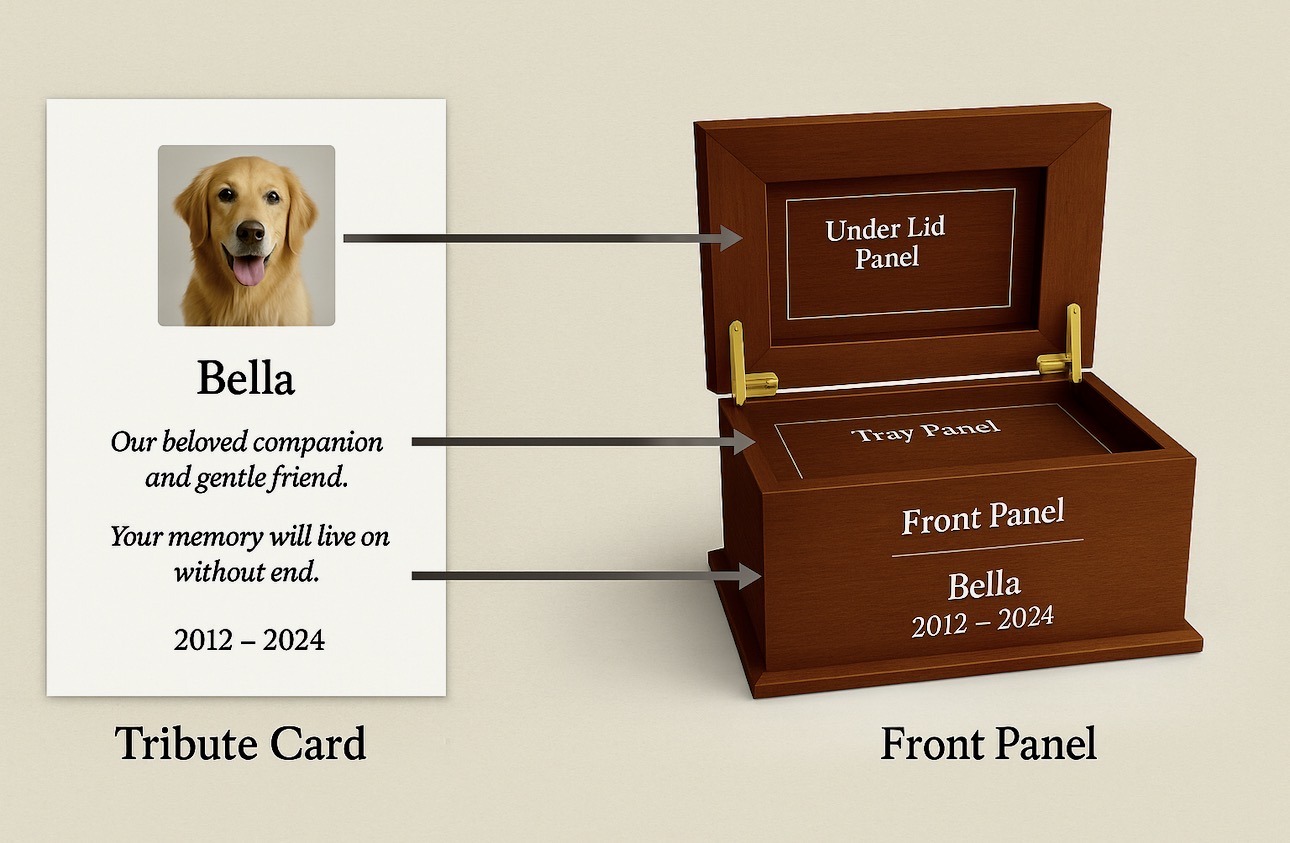
This keeps the language clear: Top Panel, Front Panel, Inside Lid Panel, and Tray Panel. The Tribute Imprint Card supplies the photo, name, dates, short phrase, and poem. ATLS places each item where it belongs on the memorial box.

The layout stays clean and simple so the family can understand the mapping before proof approval.

Document Selection

Step 7 · Documentation + Online Submission

The family selects what should be stored or routed.

This page is a visual prototype for fill-out-online forms. Later, each document selection can create a database record, a due date, a responsible party, and a Vault status.

Online Collaboration

Kathleen / FamilyAnswers, poem approval, photo approval, final wishes.
Trusted ContactBackup authority, edits, review, document help.
Funeral HomeOnly sees the documents and routing details it needs.
Ternvia AdminProof check, product mapping, production readiness.

Step 8 · Collaboration + Approval

Everyone can contribute, but approval stays controlled.

Collaboration keeps memories from being lost, while permissions keep proofs, documents, and production from moving without the right authority.

Final Wish Follow-Through

BoxChain InitiatedCreates a secure follow-through chain for wishes, documents, and approvals.
Tokens AssignedMarks authority, document status, proof approval, and provider responsibility.
Vault RecordPreserves the approved Imprint, poem, photo, proof, files, and history.
Human ReviewAnything legal, disputed, or sensitive pauses for family/admin review.

Step 9 · BoxChain + Vault

Final wishes are carried forward with accountability.

BoxChain can represent the chain of responsibility: what was requested, who approved it, what documents were selected, what proof was accepted, and where the final record is preserved in the Vault.

Start Tribute with Bella

Patent-Protected ATLS Ecosystem

ATLS connects the Tribute Imprint Record and the memorial in one adaptive step.

ATLS is an acronym for Adaptive Tribute Logic System: Ternvia's guided logic layer that receives the Tribute Imprint Record once, then carries its information through product compatibility, engraving-panel mapping, proof approval, document coordination, production routing, and Vault storage.

Direct Reference

United States Patent and Trademark Office

Official lookup information for the Ternvia patent record.

U.S. Patent No. 8,364,549 B2
USPTO Search8364549
ApplicationUS 11/828,354
Patent Center11828354
PublicationUS20090030804A1
Filing / PriorityJuly 26, 2007
Grant / PublicationJanuary 29, 2013

Use patent number 8364549 or application number 11828354 if a USPTO portal opens to a search form instead of the record.

Reference Note For USPTO lookup, use patent number 8364549. For Patent Center, use application number 11828354. The Google Patents record is included as a backup reference.

Issued Patent Foundation

A single source-of-truth workflow record connects tribute content, documents, approvals, production, and Vault storage.

ATLS stands for Adaptive Tribute Logic System. It is the logic framework that connects the Tribute Imprint Record to memorial products, engraving locations, approval steps, production files, records, and Vault storage.

Tribute Imprint Record is the polished website name for Ternvia's broad card-based transaction unit. It is not a separate greeting card purchase. It is one structured transaction record created once through ATLS, then used as the controlling workflow object for tribute content, product compatibility, engraving mapping, proof approval, production routing, partner coordination, compliance-related records, and Vault preservation.

In practical terms, the family or provider enters information once, and the record follows the workflow instead of forcing each department, product, document, or proof step to start over. Memories, photos, voice/audio notes, symbols, tone, verse, selected products, engraving preferences, document needs, proof decisions, provider notes, permissions, and final-wish instructions are collected into one connected record. ATLS then applies that record to the memorial system: it suggests compatible products, maps available engraving areas, prepares proofs, supports document and regulation checklists, routes production, connects partners, and preserves the approved history in the Ternvia Vault.

Patent: US8364549B2Issued: Jan. 29, 2013Priority/Filing: July 26, 2007Human + Pet Memorial Products

One Complete Transaction Unit

The Tribute Imprint Record functions as the system's portable workflow record.

For the public website, the experience should feel seamless: the family does not create a record, abandon that step, and start over to shop, approve, upload, or coordinate documents. The Tribute Imprint Record is created once. From that point forward, it acts as the portable workflow record that keeps the person, pet, family, product choices, documents, approvals, provider requirements, and memorial instructions tied to the same transaction.

Gather onceThe record collects memory, photos, voice notes, names, optional dates, verse, symbols, tone, product wishes, documents, final wishes, and family permissions.
->
Interpret onceATLS reads the record and determines compatible memorial products, services, partner options, engraving zones, document needs, record requirements, and proof steps.
->
Carry throughThe same record feeds previews, engraving maps, suggestions, proofs, production files, provider routing, regulatory checklists, marketplace options, and Vault storage.

Internal / legal framing: Ternvia may still keep the underlying word card broad for patent-aligned interpretation. In this system, card is not limited to a sympathy card, greeting card, paper card, or standalone stationery item. It may include a digital, physical, printable, displayable, scannable, transmitted, electronically stored, database-linked, customer-generated, system-generated, tokenized, interface-based, or order-linked record, file, package, proof container, transaction object, or memorial data object.

Public wording: Families should see Tribute Imprint Record, Tribute Imprint, or another polished Ternvia branded name. The public name should not narrow the broader internal meaning. It should communicate that one meaningful record gathers the tribute and becomes the foundation for product selection, memorial design, proofing, engraving, records, and Vault preservation.

Adaptive Tribute Logic System (ATLS) is the professional name for the logic layer behind Ternvia. Bella remains the gentle guide families experience, while ATLS organizes emotional input and technical requirements into a complete memorial transaction record.

ATLS connects the Tribute Imprint Record to the broader Ternvia ecosystem: memorial products, engraving panels, photo correction, marketplace suggestions, vendor rules, funeral home workflows, customer approvals, production files, document storage, and the Vault.

Naming Structure

Technical / patent-facing:
Adaptive Tribute Logic System (ATLS)

Public record-facing:
Tribute Imprint Record

Short public name:
Tribute Imprint

Family-facing experience:
Ternvia Guided Tribute System

What the Tribute Imprint Record can carry

Memory + identity

Name, optional dates, stories, personality notes, tone, favorite sayings, symbols, family messages, and voice/audio memories.

Photo + media

Original photos, corrected engraving photos, image notes, video or multimedia references, and approved visual assets.

Product + marketplace logic

ATLS can suggest signature urns, vendor urns, keepsakes, tombstones, plaques, jewelry, partner products, and related memorial options based on the record.

Engraving mapping

The record maps text, images, symbols, poems, materials, sizes, colors, and panel limits into front, top, inside lid, tray, vendor, plaque, or monument layouts.

Proof + approval

The same record feeds real-time previews, customer proof screens, approval checkboxes, admin overrides, production notes, SVG/Corel/PDF files, and final sign-off.

Vault + records

The Vault can store the Tribute Imprint Record, proofs, engraving files, order history, death certificates, authorizations, transportation notes, cemetery or burial documents, partner permissions, and long-term memorial files.

Future-Ready Memorial Lifecycle Layer

From pre-planning to completion, ATLS can organize the next required action.

The same Tribute Imprint Record can support more than product customization. It can become the structured place where pre-planning wishes, death certificate tasks, home burial questions, cemetery requirements, city/state zoning notes, estate contacts, provider permissions, family approvals, and final memorial instructions are held together instead of scattered across separate forms and conversations.

Pre-planning + final wishes

Records wishes before they are urgent, including products, words, photos, service preferences, document contacts, and instructions that may need future confirmation.

Documents + regulations

Creates a practical checklist for death certificates, authorizations, transportation notes, home burial rules, cemetery documents, city/state zoning research, and provider-specific requirements.

Conditional release layer

Where legally appropriate, a future version may connect verified records to secure ledger or smart-contract tools that can timestamp, hold, release, or notify based on defined conditions and waiting periods.

This section describes a future-ready system architecture, not legal advice. Legal documents, smart-contract triggers, home burial requirements, estate instructions, and zoning rules should be reviewed by qualified legal or local authorities before use.

1

Guided Tribute Input

Bella gathers memories, photos, voice notes, symbols, tone, product needs, optional dates, and family preferences.

2

Tribute Imprint Record

ATLS creates one complete record that holds the tribute data, selected components, document needs, and memorial instructions.

3

Adaptive Suggestions

The record drives compatible product suggestions, marketplace options, partner routing, vendor rules, and memorial service pathways.

4

Engraving + Memorial Mapping

ATLS maps the record into urn panels, trays, lids, plaques, jewelry, tombstones, vendor products, and other memorial surfaces.

5

Proof, Production + Vault

The approved record creates proof files, engraving packages, order notes, legal/records storage, and a preserved Vault history.

How this ties into the website

Bella WalkthroughThe customer-facing guide that collects memories gently and turns them into structured tribute data.
Tribute Imprint RecordThe one broad transaction unit that carries memory data, photos, voice notes, selected components, document needs, product rules, compatible memorials, engraving previews, customer proofs, production routing, and Vault records.
Engraving MappingATLS applies the record to signature urns, vendor products, tombstones, keepsakes, and specific engraving areas, including front, top, inside lid, and tray panels when supported.
Marketplace + VendorsATLS filters tribute content into the engraving areas each vendor product actually supports while preserving the larger Ternvia record for future memorial options.
Documents + Provider EcosystemHuman, pet, funeral home, vendor, cemetery, and provider workflows can connect to needed documents such as death certificates, authorizations, transportation notes, burial or cemetery requirements, partner permissions, and customer approvals.
Proof Approval + VaultATLS prepares the reviewable proof, production package, customer approval record, document set, and long-term Vault storage so the memorial history stays together.
Family-facingTernvia Guided Tribute System
Record-facingTribute Imprint Record
Technical / patent-facingAdaptive Tribute Logic System (ATLS)
Experience-facingBella Walkthrough

Website note: This embossed Ternvia patent-protection seal references U.S. Patent No. 8,364,549 B2. The ATLS presentation is written to describe Ternvia's implementation of the patented memorial customization framework as a connected record-to-memorial workflow: one broad transaction record gathers the tribute components, drives memorial product selection, maps customization options, supports proof approval, routes production, connects records and provider requirements, and preserves the memorial history. The polished public name may be Tribute Imprint Record, while internal technical and legal language keeps the underlying card concept broad as a complete transaction record. This seal is intentionally not the official USPTO government seal.

Bella Tribute Guide

Start the guided tribute with Bella.

Bella can guide the customer through the tribute in one place: talk, type, add memories, shape a Generated Tribute Verse, fill the Tribute Imprint Card, and prepare suggested wording for Front Panel, Top Panel, Inside Lid, and Tray.

ListenVoice choices, longer listening, and typed fallback.
Tribute CardName, relationship, memories, tone, and meaning are carried forward.
Generated Tribute VersePoem wording is shaped from the conversation and tone.
Panel MappingFront Panel, Top Panel, Inside Lid, and Tray suggestions.

Bella Tribute Guide

Start the guided tribute with Bella.

Bella can guide the customer through the tribute in one place: talk, type, add memories, shape a Generated Tribute Verse, fill the Tribute Imprint Card, and prepare suggested wording for Front Panel, Top Panel, Inside Lid, and Tray.

ListenVoice choices, longer listening, and typed fallback.
Tribute CardName, relationship, memories, tone, and meaning are carried forward.
Generated Tribute VersePoem wording is shaped from the conversation and tone.
Panel MappingFront Panel, Top Panel, Inside Lid, and Tray suggestions.

Bella Tribute Guide

Start the guided tribute with Bella.

Bella can guide the customer through the tribute in one place: talk, type, add memories, shape a Generated Tribute Verse, fill the Tribute Imprint Card, and prepare suggested wording for Front Panel, Top Panel, Inside Lid, and Tray.

ListenVoice choices, longer listening, and typed fallback.
Tribute CardName, relationship, memories, tone, and meaning are carried forward.
Generated Tribute VersePoem wording is shaped from the conversation and tone.
Panel MappingFront Panel, Top Panel, Inside Lid, and Tray suggestions.

Bella Tribute Guide

Bella is the guided tribute experience.

Bella can guide the customer through the tribute in one place: talk, type, add memories, shape a Generated Tribute Verse, fill the Tribute Imprint Card, and prepare suggested wording for Front Panel, Top Panel, Inside Lid, and Tray.

ListenVoice choices, longer listening, and typed fallback.
Tribute CardName, relationship, memories, tone, and meaning are carried forward.
Generated Tribute VersePoem wording is shaped from the conversation and tone.
Panel MappingFront Panel, Top Panel, Inside Lid, and Tray suggestions.
TRIBUTE IMPRINT CARD

The card is the data object Bella is building.

Bella can receive information in any order. The system cleans it, stores the exact words, turns the meaning into a Generated Tribute Verse, fills the SD-card-style Tribute Imprint Card, and only then maps suggestions to Inside Lid, Tray, Front, and Top for proofing.

Ternvia

Tribute Imprint Card

Actual card first. Mapping second. Proof before engraving.

Photooptional / engraving-safe

Honoring

Benny

Beloved cat · best friend · confidant

Generated Tribute Verse

Benny, you were my comfort on the hard days,
my best friend, my quiet safe place.
Your love became part of my story,
and every memory still holds your name.

Customer words preserved Benny comforted me when I was sad. He helped start my business. He loved his Chicky Wikis and funny little habits.

CARD → MAP → PROOF

The card carries the data into every next step.

1 · Inside LidPhoto, name/date header, or first tribute phrase.
2 · TrayLonger Generated Tribute Verse, poem, or personal message.
3 · Front PanelMain name, photo plaque, short phrase, and display wording.
4 · Top PanelSmall phrase, symbol, dates, or meaningful quote.
Bella inputVoice / typing / manual entry
Imprint CardFilled record
ATLSMaps to compatible zones
ProofingCustomer reviews before engraving
Vault / productionSaved, shared, exported, or engraved
Important design rule

The card and mapping process shown here explain how the system works. Reference urn images are mapping examples only. The official locked Baby Bella/product panel structure and protected click areas are not changed by this page.

Bella Tribute Guide

Start the guided tribute with Bella.

Bella can guide the customer through the tribute in one place: talk, type, add memories, shape a Generated Tribute Verse, fill the Tribute Imprint Card, and prepare suggested wording for Front Panel, Top Panel, Inside Lid, and Tray.

ListenVoice choices, longer listening, and typed fallback.
Tribute CardName, relationship, memories, tone, and meaning are carried forward.
Generated Tribute VersePoem wording is shaped from the conversation and tone.
Panel MappingFront Panel, Top Panel, Inside Lid, and Tray suggestions.

Bella Tribute Guide

Start the guided tribute with Bella.

Bella can guide the customer through the tribute in one place: talk, type, add memories, shape a Generated Tribute Verse, fill the Tribute Imprint Card, and prepare suggested wording for Front Panel, Top Panel, Inside Lid, and Tray.

ListenVoice choices, longer listening, and typed fallback.
Tribute CardName, relationship, memories, tone, and meaning are carried forward.
Generated Tribute VersePoem wording is shaped from the conversation and tone.
Panel MappingFront Panel, Top Panel, Inside Lid, and Tray suggestions.

Bella Tribute Guide

Start the guided tribute with Bella.

Bella can guide the customer through the tribute in one place: talk, type, add memories, shape a Generated Tribute Verse, fill the Tribute Imprint Card, and prepare suggested wording for Front Panel, Top Panel, Inside Lid, and Tray.

ListenVoice choices, longer listening, and typed fallback.
Tribute CardName, relationship, memories, tone, and meaning are carried forward.
Generated Tribute VersePoem wording is shaped from the conversation and tone.
Panel MappingFront Panel, Top Panel, Inside Lid, and Tray suggestions.

Bella Tribute Guide

Start the guided tribute with Bella.

Bella can guide the customer through the tribute in one place: talk, type, add memories, shape a Generated Tribute Verse, fill the Tribute Imprint Card, and prepare suggested wording for Front Panel, Top Panel, Inside Lid, and Tray.

ListenVoice choices, longer listening, and typed fallback.
Tribute CardName, relationship, memories, tone, and meaning are carried forward.
Generated Tribute VersePoem wording is shaped from the conversation and tone.
Panel MappingFront Panel, Top Panel, Inside Lid, and Tray suggestions.

Bella Tribute Guide

Start the guided tribute with Bella.

Bella can guide the customer through the tribute in one place: talk, type, add memories, shape a Generated Tribute Verse, fill the Tribute Imprint Card, and prepare suggested wording for Front Panel, Top Panel, Inside Lid, and Tray.

ListenVoice choices, longer listening, and typed fallback.
Tribute CardName, relationship, memories, tone, and meaning are carried forward.
Generated Tribute VersePoem wording is shaped from the conversation and tone.
Panel MappingFront Panel, Top Panel, Inside Lid, and Tray suggestions.

Bella Tribute Guide

Start the guided tribute with Bella.

Bella can guide the customer through the tribute in one place: talk, type, add memories, shape a Generated Tribute Verse, fill the Tribute Imprint Card, and prepare suggested wording for Front Panel, Top Panel, Inside Lid, and Tray.

ListenVoice choices, longer listening, and typed fallback.
Tribute CardName, relationship, memories, tone, and meaning are carried forward.
Generated Tribute VersePoem wording is shaped from the conversation and tone.
Panel MappingFront Panel, Top Panel, Inside Lid, and Tray suggestions.

Bella Tribute Guide

Start the guided tribute with Bella.

Bella can guide the customer through the tribute in one place: talk, type, add memories, shape a Generated Tribute Verse, fill the Tribute Imprint Card, and prepare suggested wording for Front Panel, Top Panel, Inside Lid, and Tray.

ListenVoice choices, longer listening, and typed fallback.
Tribute CardName, relationship, memories, tone, and meaning are carried forward.
Generated Tribute VersePoem wording is shaped from the conversation and tone.
Panel MappingFront Panel, Top Panel, Inside Lid, and Tray suggestions.

Bella Tribute Guide

Start the guided tribute with Bella.

Bella can guide the customer through the tribute in one place: talk, type, add memories, shape a Generated Tribute Verse, fill the Tribute Imprint Card, and prepare suggested wording for Front Panel, Top Panel, Inside Lid, and Tray.

ListenVoice choices, longer listening, and typed fallback.
Tribute CardName, relationship, memories, tone, and meaning are carried forward.
Generated Tribute VersePoem wording is shaped from the conversation and tone.
Panel MappingFront Panel, Top Panel, Inside Lid, and Tray suggestions.

Step 3

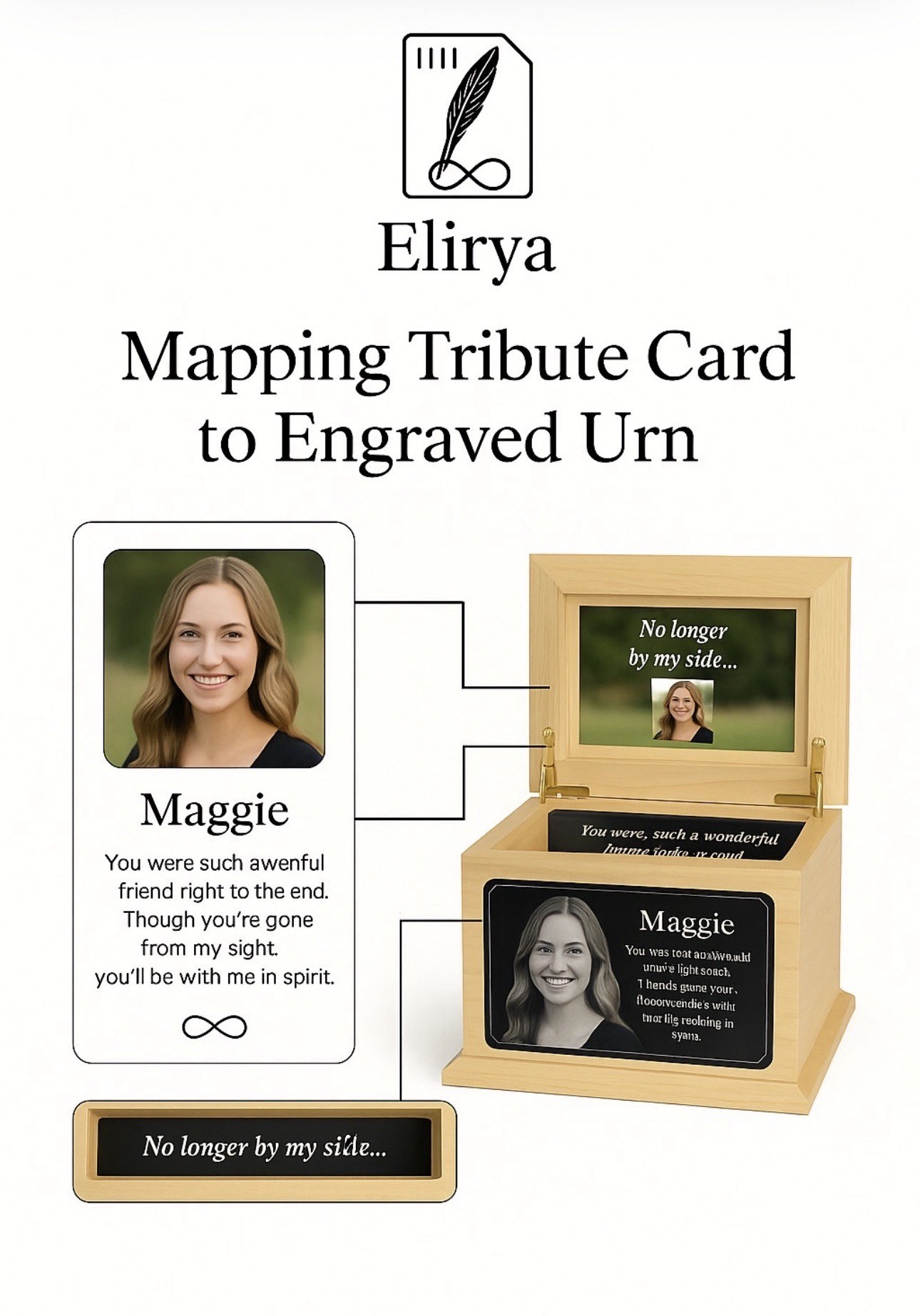
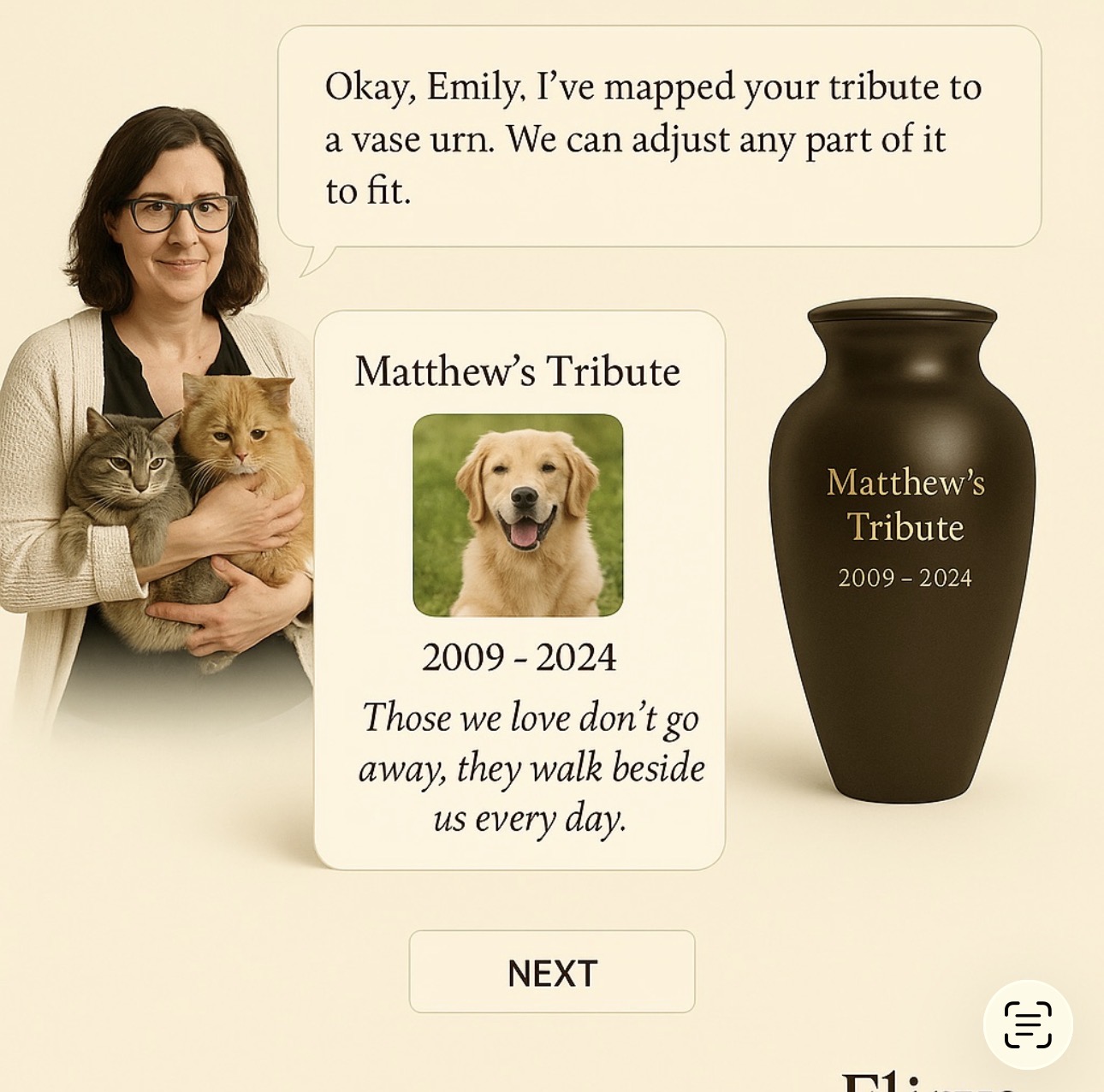
Tribute Imprint to Engraved Urn

The Tribute Imprint is the central ATLS object. It carries the story, image, verse, optional dates, symbols, and emotional summary into engraving layout.

Mapping Tribute Imprint to Engraved Urn

Memory Imprint

Memory Imprint card

The same tribute can become a digital card, print piece, Vault record, engraving reference, or keepsake.

View Tribute Imprint

Tribute Imprint to Four-Side Urn Mapping

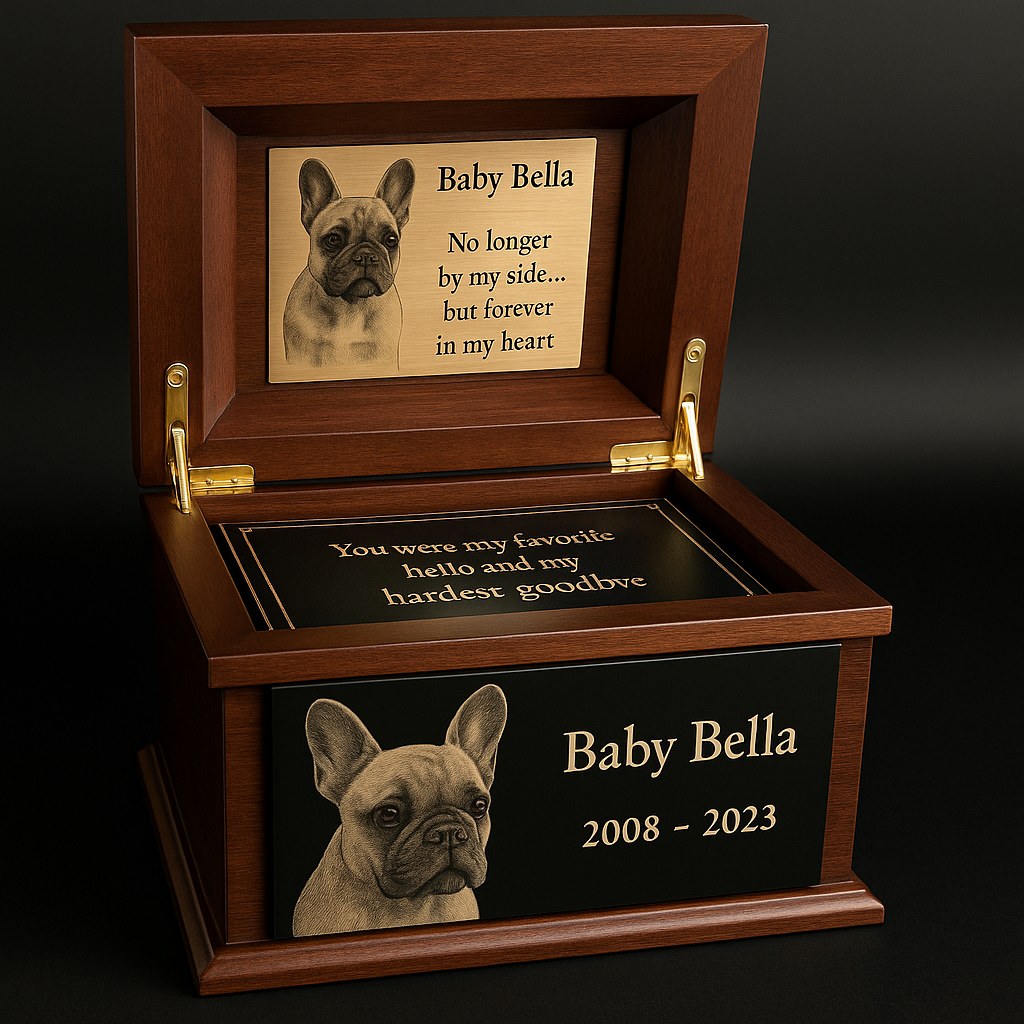
This step shows how the Tribute Imprint carries Bella’s photo, verse, name, and dates into the urn layout, including the Inside Lid Panel, Tray Panel, Front Panel, and Top Panel.

Tribute card mapped to urn panels
View Four Panel Mapping Engraving File Package

Bella Walkthrough First

Bella will walk you through this first and create a Tribute Card.

Start with Bella or view the Tribute Card, then use this screen to map the card into the four engraving panels and CorelDRAW/SVG proof setup.

Phone view: use the bottom shortcut bar to jump between Preview, Wood, Panel, Type, and Photo controls without hunting up and down the page.

Four-panel preview

Four engraving panels guide showing inside lid, tray, front panel, and top panel options
Uploaded front panel photo preview
Uploaded top picture frame photo preview
Large black-background top panel preview
Wood Panel
Best order: Bella Walkthrough → Tribute Imprint Card → Four-panel engraving setup → customer proof → CorelDRAW/SVG production export. Direct panel editing can stay for proof adjustments, but the customer journey should begin with Bella.

Ternvia Signature Collection

Signature urns use the full four-panel system.

Baby Bella signature urn

Baby Bella Signature Urn

Front PanelTop PanelInside Lid PanelTray Panel
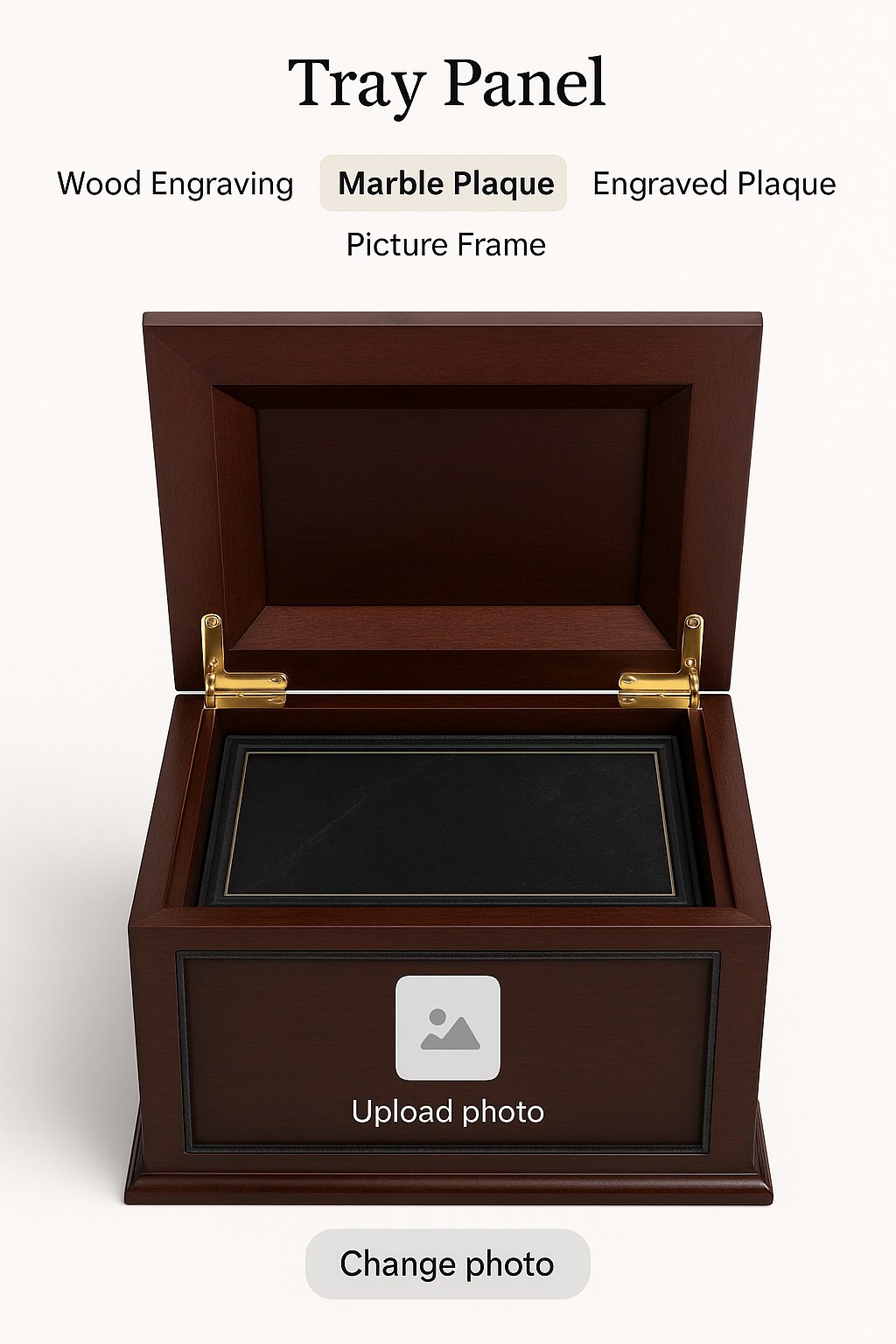
Tray panel material selector

Panel Material Preview

MarbleWoodPhotoPlaque
Engraving panel options

Engraving Options

NameplatePhoto & TextWood Engraving

Vendor Memorial Collection

Vendor memorial products

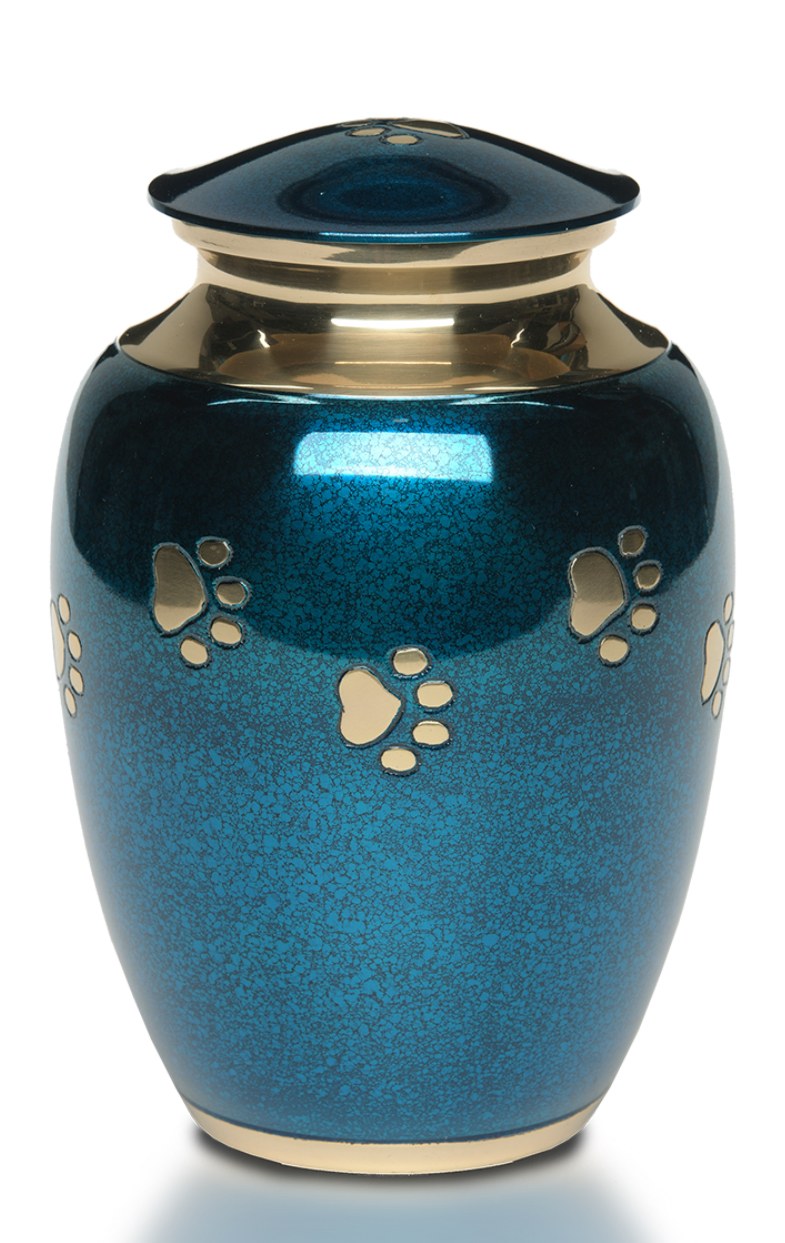
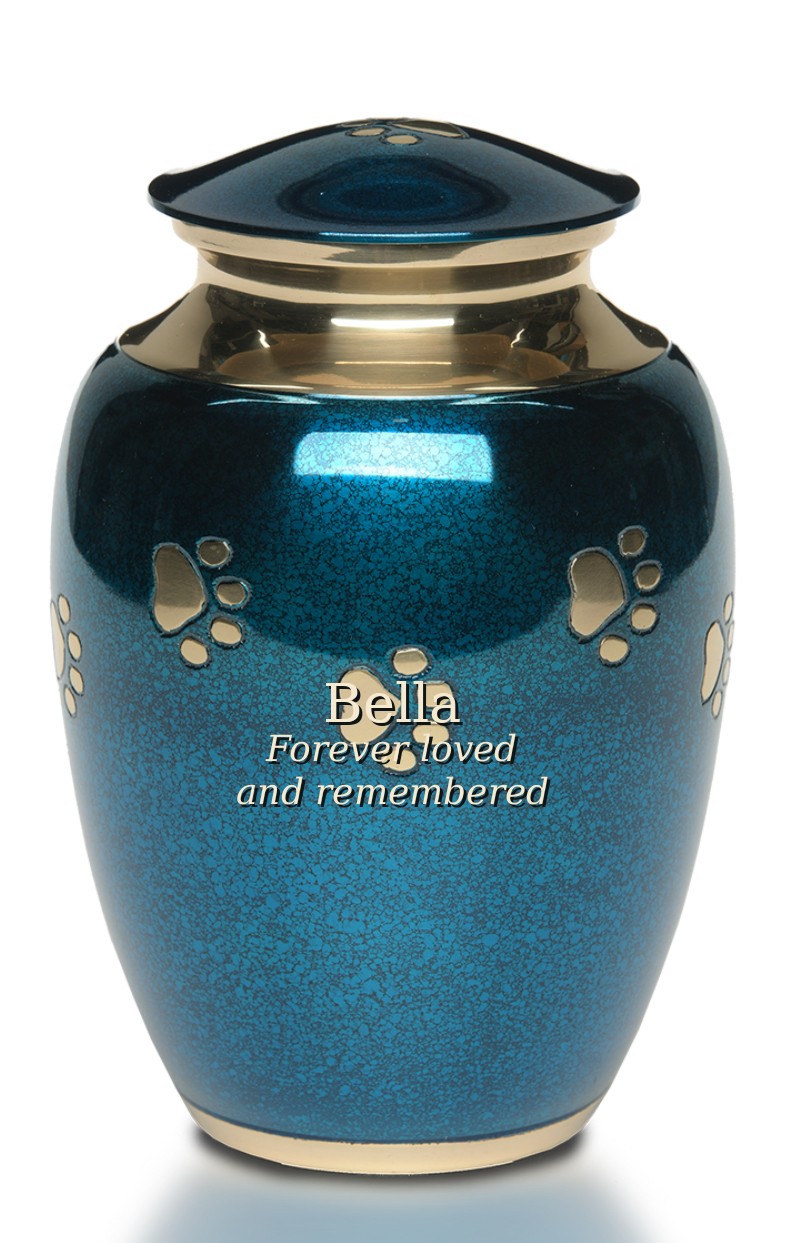
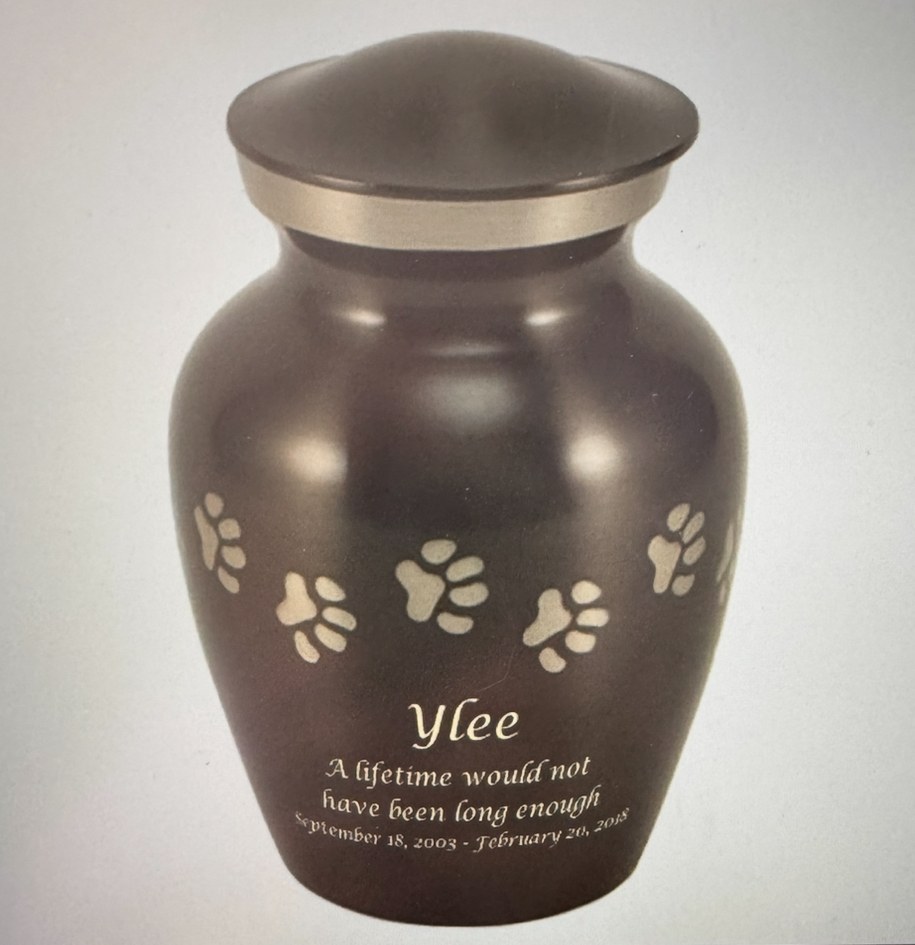
These vendor products include paw print vase urns, brass-style urns, keepsakes, and memorial jewelry. They are not the full four-panel Ternvia signature urns, but Bella can still map the customer’s typed tribute onto the available front engraving area.

Blue paw print vendor urn blank

Blue Paw Print Urn

VendorBlank FrontReady for Text
Blue paw print urn with large tribute text mockup

Blue Urn Text Preview

Customer TextLarge PreviewFront Only
Gold paw print urn with Sox engraving

Gold Paw Print Urn

VendorNameDates + Verse
Brown paw print urn with Ylee engraving

Brown Paw Print Urn

VendorShort VerseFront Engraving
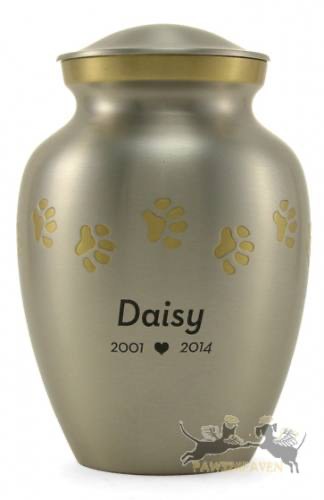
Silver paw print urn with Daisy engraving

Silver Paw Print Urn

VendorName + DatesSimple Layout
Brown paw print urn with Echo engraving

Echo Example Urn

VendorPoem FrontProof Example
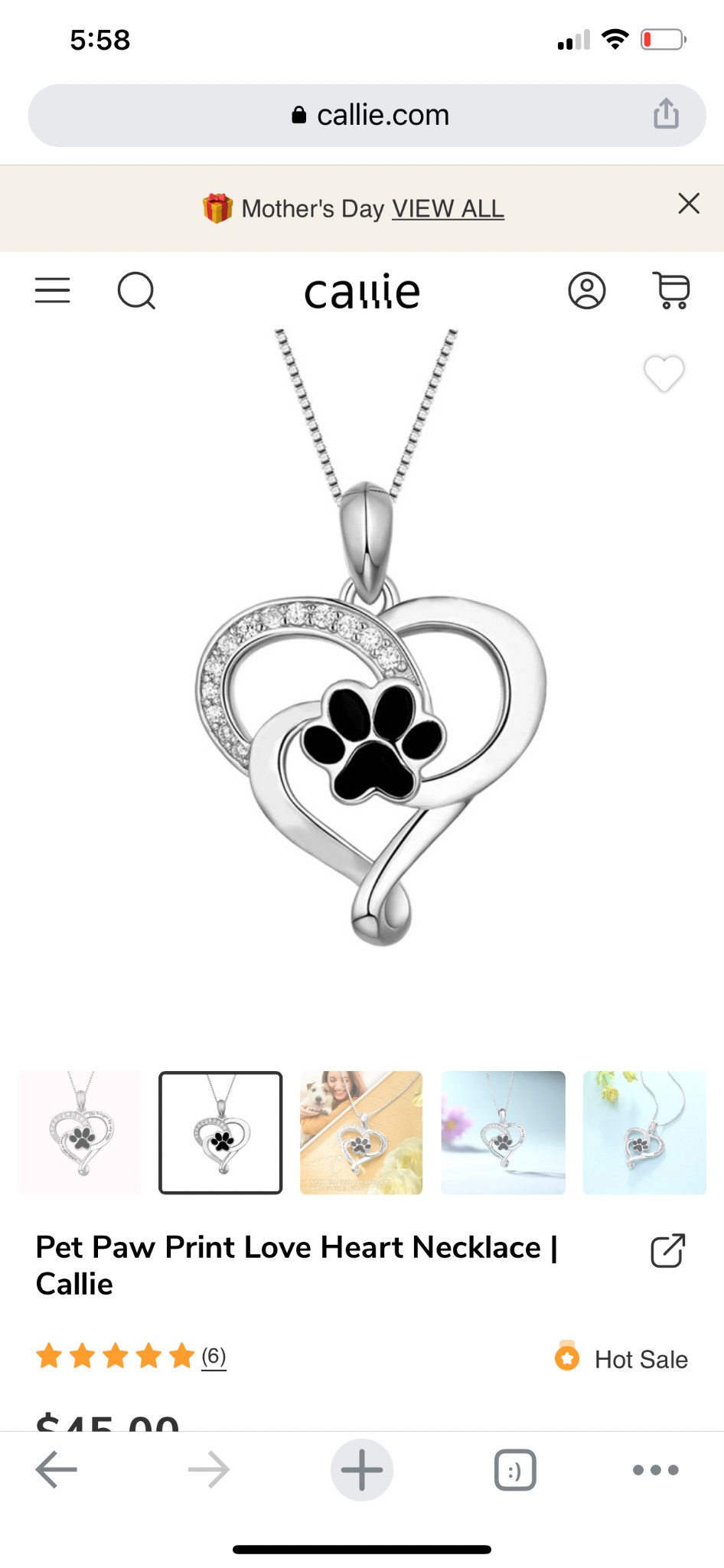
Pet paw print love heart necklace

Paw Print Keepsake Necklace

JewelryKeepsakeVendor Product
Cat shaped bedside table keepsake product

Memorial Keepsake / Decor

KeepsakeMemorial DecorFuture Product
Expandable vendor slot
More urns, jewelry, keepsakes, and dropship products can be added here.

Vendor Product Slot

ExpandableProduct Database
Vendor mappingTribute Imprint maps to the available vendor engraving area, usually the front text area only.
Customer text previewThe customer’s typed tribute can be placed on the blank urn in a large, readable front preview before proof approval.
Ternvia add-onsTribute Imprint, photo correction, proof PDF, Vault storage, order sheet, and vendor/drop-ship notes.
FAMILY / CLIENT COLLABORATION

Family Collaboration — Live Tribute Imprint Workspace

This is the family-side workbench for a live Tribute Imprint. The card is the object everyone is improving together. Invited people can be online at the same time, click the card or Vault folders, suggest changes, chat, and merge approved edits into the active card before proofing.

How this prototype works: this is a front-end demo of the collaboration experience. It simulates live family activity in the browser so you can see the idea: card areas can be clicked, comments appear in the live feed, suggestions can be merged, and the Vault folders remain attached to the same Imprint. Share Access Tokens still remain the permission layer.
Ella editing Matthew viewing Grace suggesting Provider view locked
ELIRYA TRIBUTE IMPRINT
Kathleen Jacobs
1962 – 2023
Kathleen portrait on active Imprint card
Your love will live on like a songbird’s eternal melody.
Legacy Imprints The active card, family notes, mapped zones, and proof status stay together here.
1. InviteFamily joins the active Imprint.
2. Comment livePeople suggest edits and memories.
3. MergeOwner approves changes onto the card.
4. ProofApproved card routes to proofing.
5. VaultFinal card, records, permissions, and history stay together.
PHOTO OPTIMIZER

Emotional Photo Correction

A faithful photo-preparation method for memorial engraving and tribute display. The goal is not to make a pet or person look different. The goal is to preserve their real emotional identity while correcting the photo enough for clarity, contrast, proofing, and production.

Ternvia Emotional Photo Correction promotional proof with Yorkie and reveal life wording
Brand direction: true-to-them correction, natural detail, and engraving-ready preparation.

THE BENTON METHOD

Preserve likeness first. Correct second.

Emotional Photo Correction uses the original image as the source of truth. Supporting photos may be used to understand breed traits, markings, eye shape, fur direction, color, and expression, but the correction should not invent a new face.

Brighten the eyes, but only enough to reveal life and clarity.

This phrase is the rule: eyes may be opened from shadow, catchlights may be recovered, and facial detail may be clarified, but the expression, shape, and emotional presence must remain true.

01

Start with the original

The original photo remains the anchor. It protects the true expression, head tilt, eye shape, mouth, ear placement, markings, and the feeling the family remembers.

02

Compare reference images

Additional photos help confirm details that one image may hide: a lighter crown, a darker patch, eye symmetry, fur length, breed-specific texture, or a natural pose.

03

Correct gently

Lighting, contrast, color balance, eye shadows, background distractions, and fur detail are adjusted carefully. The correction should reveal what is already there, not replace it.

04

Prepare for proof + engraving

The corrected image can move into the Tribute Imprint Record, customer proof, engraving map, production notes, and Vault storage so the approved version stays with the memorial record.

REFERENCE WORKFLOW

Benton shows the correction logic.

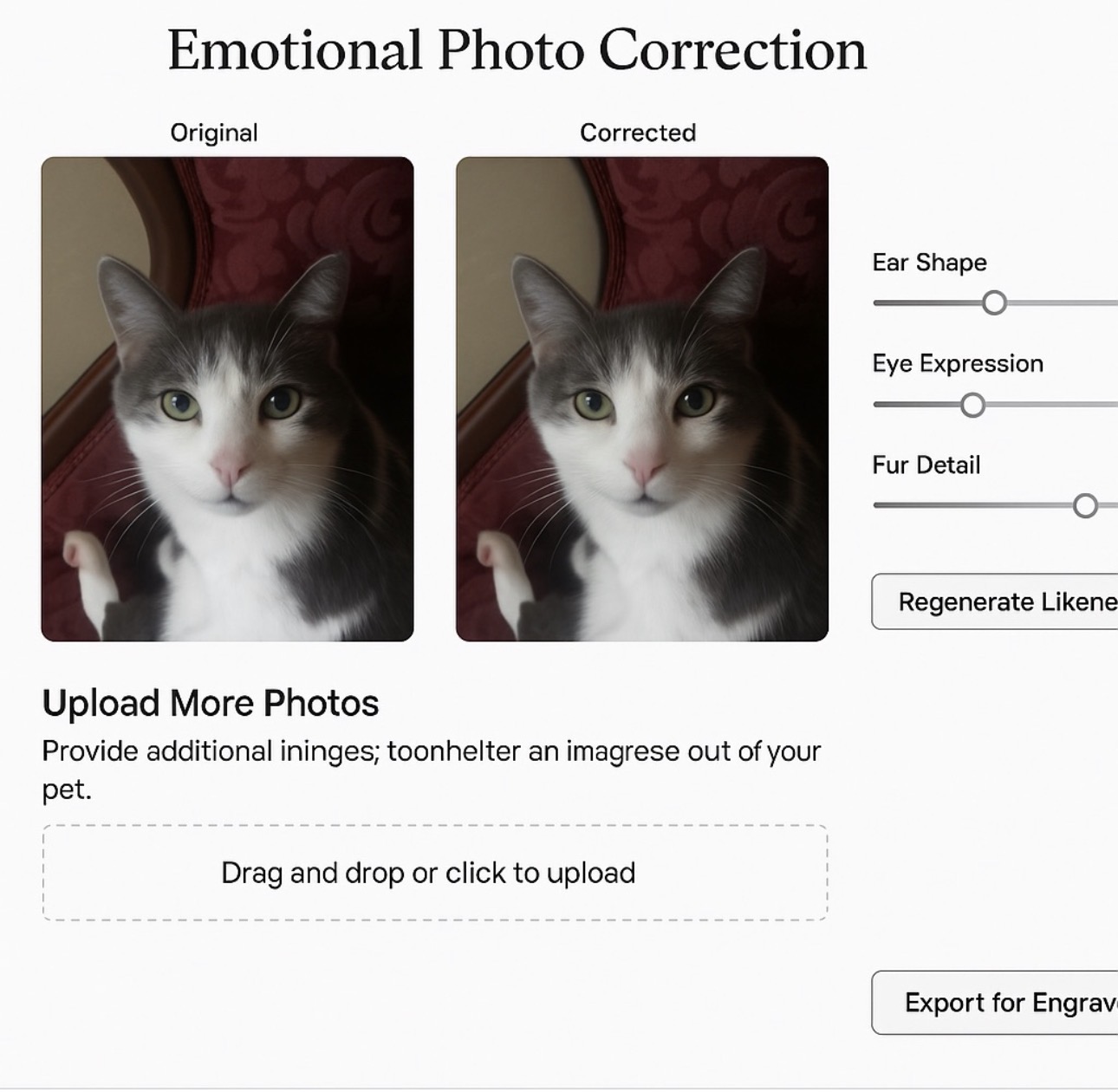
The interface concept uses controls like ear shape, eye expression, and fur detail, but the purpose is not a beauty filter. It is a guided likeness-preservation review.

  • Eye expression: reveal life and clarity without changing the animal’s natural gaze.
  • Fur detail: preserve real texture, direction, markings, and color instead of inventing new strands.
  • Breed awareness: use Yorkie, cat, dog, or breed-specific cues only to correct what the photo fails to show clearly.
  • Engraving readiness: prepare cleaner tonal separation for proofing, laser notes, and final layout.
Benton Emotional Photo Correction reference interface with original, corrected, and likeness controls
Benton reference: original and corrected views with likeness-preservation controls.
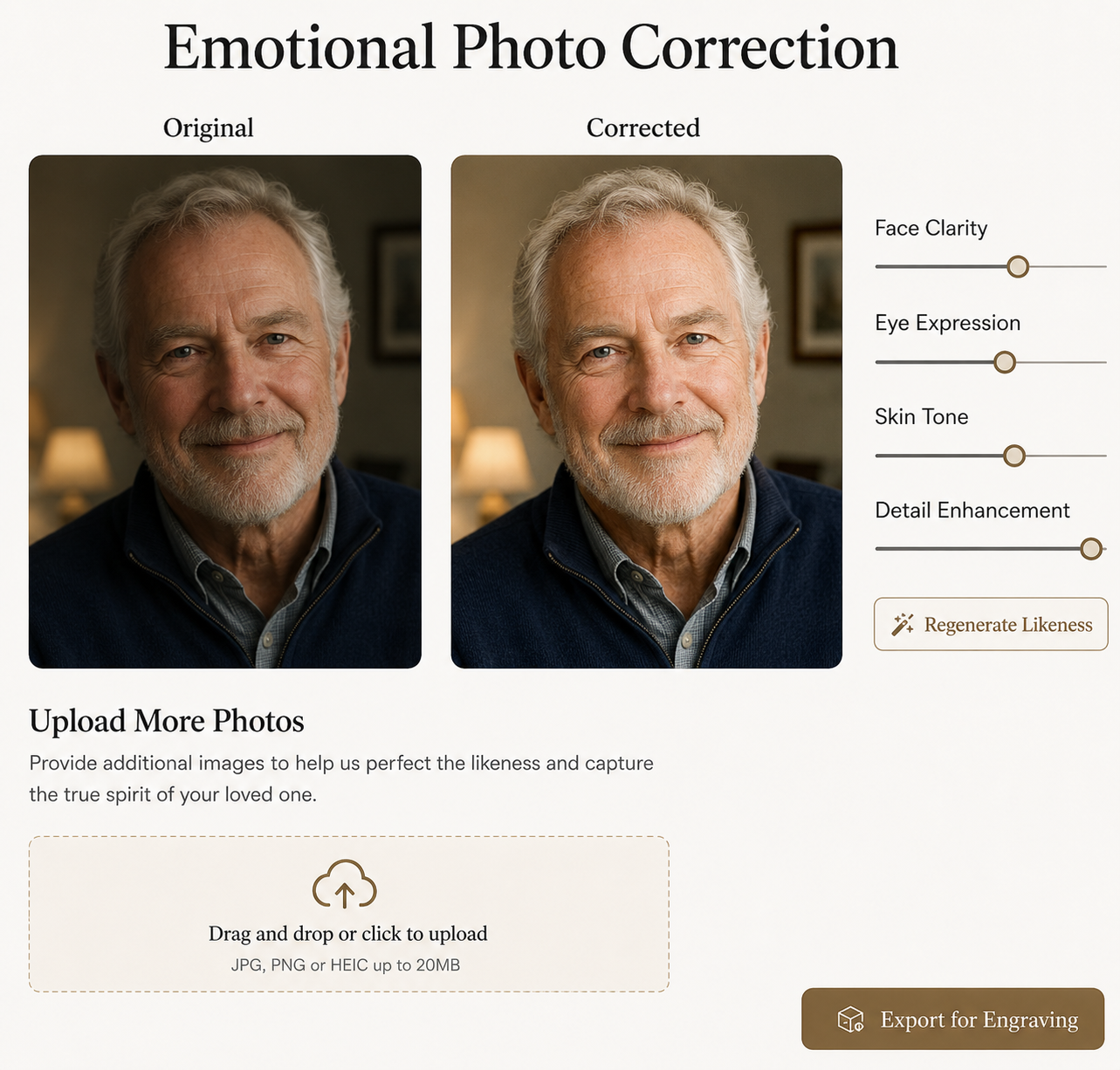
Human Emotional Photo Correction interface showing original and corrected portrait of a man
Human reference: face clarity, eye expression, skin tone, and detail enhancement while preserving the person’s true likeness.

HUMAN MEMORIAL PORTRAITS

Restore presence without changing identity.

For human portraits, the correction is more careful than a standard retouch. The system should clarify the image while preserving the person’s recognizable face, natural age, expression, posture, hair, skin tone, and emotional presence.

Brighten the eyes, but only enough to reveal life and clarity.

In the Isabel Parker example, the first image is intentionally soft, dull, and slightly lifeless. The corrected image brings the eyes into focus, restores natural warmth and color, and lets a gentle smile read more clearly without making the person look artificial, younger, or like someone else.

01

Protect the likeness

The original photograph remains the source of truth for face shape, expression, eyes, smile, hairline, posture, glasses, and remembered character. Correction should restore presence, not replace the person.

02

Use family references

Additional photos may guide natural color, age, eye clarity, hair texture, skin tone, glasses, favorite pose, or the way family remembers them best.

03

Prepare for memorial use

The approved portrait can support printed proofs, engraved plaques, urn panels, keepsakes, service displays, production notes, and Vault storage.

Ternvia rule: Emotional Photo Correction should stay true to them. Correct the image only enough to reveal memory, detail, life, and clarity before the photo becomes part of the memorial proof or engraving package.

Customer Proof

Approve before engraving.

ATLS turns the selected Tribute Imprint content into a reviewable proof so the family can approve spelling, placement, photo use, panel mapping, and production notes before engraving.

Front PanelName, dates, photo plaque, nameplate, phrase.
Top PanelShort phrase, symbol, or top lid layout.
Inside Lid PanelPhoto-engraved plaque, picture frame, verse, or wood engraving.
Tray PanelLonger tribute verse, poem, marble plaque, or photo plaque.

Before final proof approval

These statuses show whether the family has approved the poem wording and submitted the photo for processing before the final engraving proof is locked.

Poem approvalWaiting for poem approval
Photo processingWaiting for photo submission

Admin Response

  • Request edit
  • Approve photo processing
  • Lock proof
  • Export ATLS production package with Corel / SVG / PDF support files
  • Route vendor drop-ship notes
  • Save final record to Vault
ADMIN TRICKLE QUEUE

Bella’s Daily Production Coach

This is the calm order-control area. Instead of everything feeling like one giant pile, Bella breaks the day into tiny next steps and links directly to the customer/order area.

🐾

Today’s gentle nudge

“Tiny paw tap: open one order, check one proof, then you’re allowed to feel accomplished.”

Reminder schedule: 10 AM and 4 PM daily

🔗

Open Next Order

Jump straight into the customer/order folder so you are not hunting for files.

🖼

Photo Processed?

Check whether the engraving photo has been enhanced, corrected, and marked production-ready.

📄

Proof Ready?

Confirm the Front Panel, Top Panel, Inside Lid Panel, and Tray Panel proof status.

🪵

Engraving Package

Make sure Proof PDF, SVG layout, photo file, order sheet, and CorelDRAW notes are bundled.

📦

Vendor Check

Check vendor product status, SKU, drop-ship notes, and whether front engraving proof is approved.

🗓

Today’s Schedule

Pick only one next step for the morning and one small step for the afternoon.

  • 10 AM: Check next order
  • 4 PM: Confirm proof/vendor status

Coach-style reminder examples

🐾 “Paw tap: one order, one step. No wrestling the whole octopus today.”
🪵 “Engraving goblin check: is the photo ready, or is it still pretending?”
📦 “Vendor safari time. Track the SKU before it runs into the tall grass.”
Future automation: this can connect to calendar reminders, email nudges, customer/order links, proof status, vendor status, and an agent that breaks each order into small daily actions.
CUSTOMER PROOFS

Customer Proof & Review Center

Customers can review their engraving proof, upload final production photos, preview mapped engraving panels, and confirm the files that will later be prepared for Corel engraving output.

Front Panel Proof

Front Panel Bella • 2008 – 2023

Top Panel Proof

Top Panel No longer by my side...

Inside Lid Proof

Inside Lid Panel Photo engraved plaque

Tray Panel Proof

Tray Panel Generated Tribute Verse

Production Photo Uploads

These uploaded files are the production-ready photos that will later be separated into the engraving preparation package for Corel and proof review.

Drag & Drop Production Photos

SVGs, engraving-safe photos, corrected portraits, and tribute files

front_panel_photo_final.png Ready
inside_lid_portrait.svg Approved
tray_poem_layout.pdf Pending Review

3-D Product Proof Layout

Inside Lid Panel
Portrait Engraving Area
Tray Panel
Long Tribute Verse Layout
Front Panel
Bella • 2008 - 2023
✓ Front Panel Approved
✓ Top Panel Approved
✓ Inside Lid Approved
⏳ Tray Panel Pending Final Review

Invoice: INV-1001 Bella — Pending final approval

Production stage: Proof review

Tracking: Available after engraving and packing

Engraving handoff: approved proofs, uploaded photos, SVG layouts, tribute text, and production notes can later be separated into the Corel engraving package.
VENDOR PROOFS

Vendor Product Proofs

Vendor proofs are simpler than Ternvia four-panel proofs. The system first determines what the customer ordered, then shows the available engraving area for that specific product.

1. Determine Ordered Product

Identify vendor, SKU, product type, color, size, and whether the product supports front engraving, top engraving, or a separate Ternvia photo plaque.

Vendor Paw Print Urn Front engraving only

2. Show Vendor Proof

The customer sees the actual product style with the Tribute Imprint text mapped only to the engraving area the vendor product supports.

Bella Forever loved

3. Send Vendor Notes

Approved text, SKU, vendor instructions, proof PDF, and order sheet are routed into the engraving or drop-ship workflow.

SKU confirmed Front text approved Vendor notes attached
Vendor urnsUsually support front engraving only: name, dates, short phrase, or small symbol.
Vendor + Ternvia add-onIf the vendor product cannot support a photo, Ternvia can offer a separate photo plaque, Tribute Imprint, or Vault record.
Proof handoffVendor proof PDF, product SKU, engraving text, order sheet, and drop-ship notes are stored with the customer proof records.

PACKAGE FILE 1

Proof PDF

The Proof PDF is the customer-facing approval document. It should show exactly what will be engraved, where it will be placed, and what the customer is approving before production begins.

What the PDF must answer

Is the spelling, name, dates, verse, photo placement, and panel choice correct?

Does the proof show front, top, inside lid, tray, and any vendor or keepsake limitations?

Has the customer signed off that production can begin?

Customer page

Clean visual proof with product photo, panel labels, verse, image crop, material choice, and approval checkbox.

Shop page

Production notes, material, size, deadline, engraving color, replacement policy, and staff checklist.

Vault copy

Final PDF stored with the Tribute Imprint, customer approval, timestamps, and any revision history.

OutputPDF proof for customer sign-off and archive.
Links toTribute Imprint Record, order sheet, photo file, SVG/Corel layout, Vault proof history.
Status tokensProof Draft, Customer Review, Revision Needed, Approved for Engraving.

PACKAGE FILE 2

SVG Layout

The SVG Layout is the clean vector-safe version of panel artwork. It should preserve symbols, line art, borders, and text placement in a format that can be opened or rebuilt in CorelDRAW.

Why this matters

Vector files keep line art crisp when resized. Corel describes SVG as a common universal vector format and CDR as CorelDRAW’s native format, so Ternvia can use SVG as a practical bridge until a native Corel workflow is automated.

Bella • Forever Loved Vector panel art

Symbols, borders, and text are editable paths or type objects.

Layer labels

Separate photo, text, cut/score lines, guides, notes, and panel size.

OutputSVG plus notes for layer names, panel size, safe margins, and material selection.
Safe ruleUse vectors for symbols, borders, panel outlines, and cut/score guides. Keep raster photos separate.
Vault copyStore approved SVG with proof PDF, order sheet, Corel notes, and final customer approval.

PACKAGE FILE 3

Photo File

The Photo File page keeps the original upload, corrected tribute image, and engraving-ready version together so the family’s approved likeness is not lost in production.

Photo file chain

1

Original upload is preserved untouched.

2

Corrected tribute image is saved for the card/proof.

3

Engraving version is even-toned, high-contrast, and labeled by material.

Original

The family’s upload remains unchanged for reference, rework, and comparison.

Corrected

Eyes, face/fur, texture, color, and contrast are adjusted only enough to reveal life and clarity.

Engraving-ready

Converted for material behavior: grayscale, black background, sharpened detail, and balanced tone.

OutputsOriginal, client preview, engraving grayscale, optional black-background PNG/TIFF/JPG.
Linked tokensPhoto Permission Token, Photo Approval Token, Engraving Proof Token.
Operator noteFinal photo prep should always be compared against approved family reference images before engraving.

PACKAGE FILE 4

Order Sheet

The Order Sheet is the shop-side summary: what is being made, who approved it, what files belong to the order, and what each panel needs.

One-page production control

The first working version can be a clean printable page that prevents confusion between family wishes, vendor SKUs, in-house products, panel choices, photo files, and proof approvals.

Customer + Imprint

Name, contact, order ID, Tribute Imprint ID, approval person, and proof status.

Product + Panels

Product, size, wood/material, front panel, top panel, inside lid, tray, vendor SKU if applicable.

Files + Deadline

Proof PDF, SVG layout, photo files, Corel notes, due date, shipping, and special notes.

OutputPrintable order sheet and admin dashboard record.
Routes toEngraver, admin queue, customer proof, vendor order, shipping, Vault.
Safety checkNothing moves to production until the approved proof and active authority token are present.

PACKAGE FILE 5

CorelDRAW Notes

CorelDRAW Notes are the human-readable instructions that tell the engraver how the SVG/PDF proof should be rebuilt or checked in CorelDRAW before sending to the laser.

What the notes hold

Panel size, safe margins, orientation, material, font choices, engraving zones.

Which objects are raster/photo, which are vector/line, and which are guides only.

Operator comments for CorelDRAW setup, Epilog Dashboard, material preset, and test run.

Corel fileNative CDR can be created manually first; automation can come later after SVG/PDF/order-sheet logic is stable.
FormatsCorelDRAW supports import/export across many formats; Ternvia can bridge with SVG, PDF, AI/EPS, JPG/PNG/TIFF, and eventually native CDR workflow.
Upgrade laterDeveloper can add automated Corel script/export logic after the shop process is proven.

ENGRAVING CATEGORY

CorelDRAW to Epilog Workflow

This page shows the production handoff: CorelDRAW lays out the panel, separates vector and raster elements, then sends the job to the Epilog workflow for engraving or cutting.

Best practical direction

Use CorelDRAW as the layout and checking station, SVG/PDF as stable support files, and Epilog Dashboard/driver as the final machine-control step.

1Open orderUse order sheet, proof PDF, SVG layout, and approved photo file.
2Build layoutSet panel size, safe area, fonts, layers, and material notes.
3Separate artworkRaster photo, vector lines, text, guides, and operator notes.
4Print/sendSend through Epilog workflow using correct material setup.
5Archive proofSave final production files and run notes to Vault.

Laser station
Corel/Epilog layout moves to the laser with material-specific notes.

Sample Engraving
Bella
Forever held in our hearts

Engraving result
Final output follows the approved proof, not an improvised shop decision.

ENGRAVING CATEGORY

Epilog Laser Output

The Epilog page organizes the machine-side thinking: raster versus vector, job type, resolution, material preset, and final proof control.

Raster and vector rules

Epilog explains that raster artwork is pixel-based and engraves; vector artwork is made of lines/shapes and can engrave or cut depending on line thickness. Epilog’s setup notes also emphasize hairline width for vector cutting, thicker lines for raster engraving, and RGB colors.

Machine view
Material, resolution, power/speed, and raster/vector mode are checked before production.

Approved Panel
Photo area + verse
Natural engraving

Output view
Engraver confirms material preset and proof before running the job.

Raster

Use for photos, shaded art, grayscale image work, and filled engraving areas.

Vector

Use for line art, borders, symbols, and cut/score paths where applicable.

Combined

Use carefully when one file includes both engraving and vector elements.

ENGRAVING CATEGORY

SVG Vectors

SVG Vectors are the clean line-art layer for symbols, borders, panel guides, icons, and simple memorial artwork that should remain crisp at any size.

Vector-safe means editable and scalable

Vector artwork can be resized without losing clarity. It is ideal for symbols, dividers, simple pet silhouettes, faith/culture icons, frames, and decorative panel borders.

Use for

Symbols, decorative dividers, urn panel borders, names/date frames, guide marks, and simple line art.

Avoid for

Complex shaded photos, washed-out images, low-contrast fur/skin detail, or grayscale engraving simulations.

Layer rule

Name layers clearly: FRONT_TEXT, FRONT_PHOTO_GUIDE, TRAY_VERSE, CUT_GUIDE, NOTES_DO_NOT_ENGRAVE.

ENGRAVING CATEGORY

Photo Prep

Photo Prep protects the emotional likeness before it becomes a production file. It keeps the image alive, clear, and even-toned without changing the expression or identity.

Ternvia photo rule

Preserve likeness first. Correct second. Brighten eyes only enough to reveal life and clarity, then prepare the engraving version for the selected material.

Even tone

Balance highlights and shadows so fur, eyes, face, and texture do not disappear in engraving.

Material match

Wood, marble, plaque, metal, and photo plaque each need different contrast handling.

Approval match

Compare against the original and approved references before engraving.

ENGRAVING CATEGORY

Material Presets

Material Presets are not one-size-fits-all. They are starting points that keep shop decisions consistent while still requiring test engraving and human review.

Preset philosophy

Ternvia should store material notes with each order, but exact laser power/speed settings should be confirmed on the shop’s actual Epilog machine, lens, material batch, and desired look.

Wood TrayWarm natural engraving, poem text, symbols, borders, and long verse layout.
Marble PlateHigh contrast text/photo plaque, black or darkened image simulation, proofed crop.
Metal / Aluminized PlateGrayscale photo engraving, crisp type, test tone strip, careful glare control.
Brass / NameplateShort name/date lines, logo/symbols, clear lettering, clean mounting notes.
Photo PlaquePhoto placement, crop, black background, even detail, engraving-safe contrast.
Picture FrameCustomer photo display with approved crop, optional plaque, and frame orientation.
Vendor UrnLimited engraving zones, vendor SKU, outside production notes, compatible content only.
KeepsakeSmall layout rules, simplified text, symbol selection, and proof zoom-in.
Stored withOrder sheet, Corel notes, panel files, proof PDF, customer approval, run notes.
SafetyAlways test material before final engraving when appearance or batch is uncertain.
VaultSave final material choice, successful settings, and photo version used for future reorders.

Shared Online Memorial

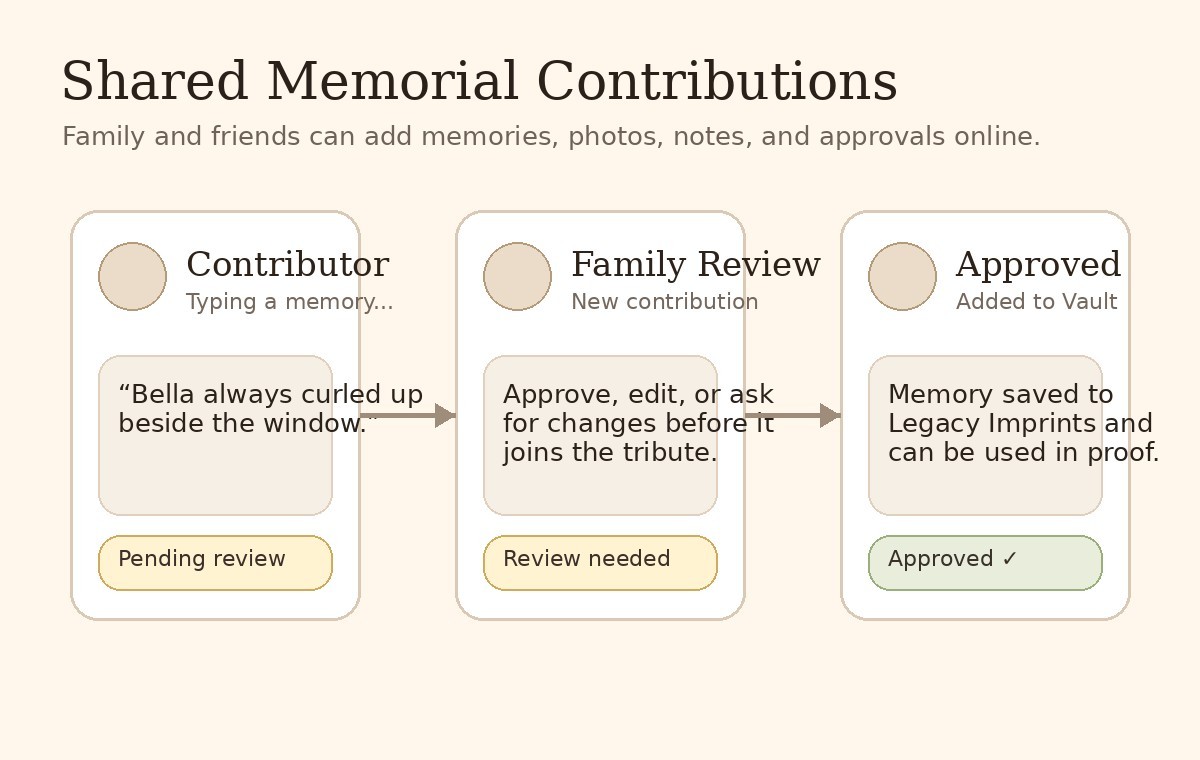
Family and friends can contribute.

Ternvia can allow invited people to add memories, photos, small stories, or corrections to the memorial being built online. Contributions can be reviewed before they are added to the Tribute Imprint, Vault, or proof.

1. InviteSend a private link to family or friends.
2. ContributeThey type a memory, upload a photo, or suggest a phrase.
3. ApproveThe owner/admin approves it before it joins the final memorial.

Contribution Flow

Shared memorial contribution and approval mockup
MEMORIALS & TOMBSTONES

Tombstone & Memorial Marker Studio

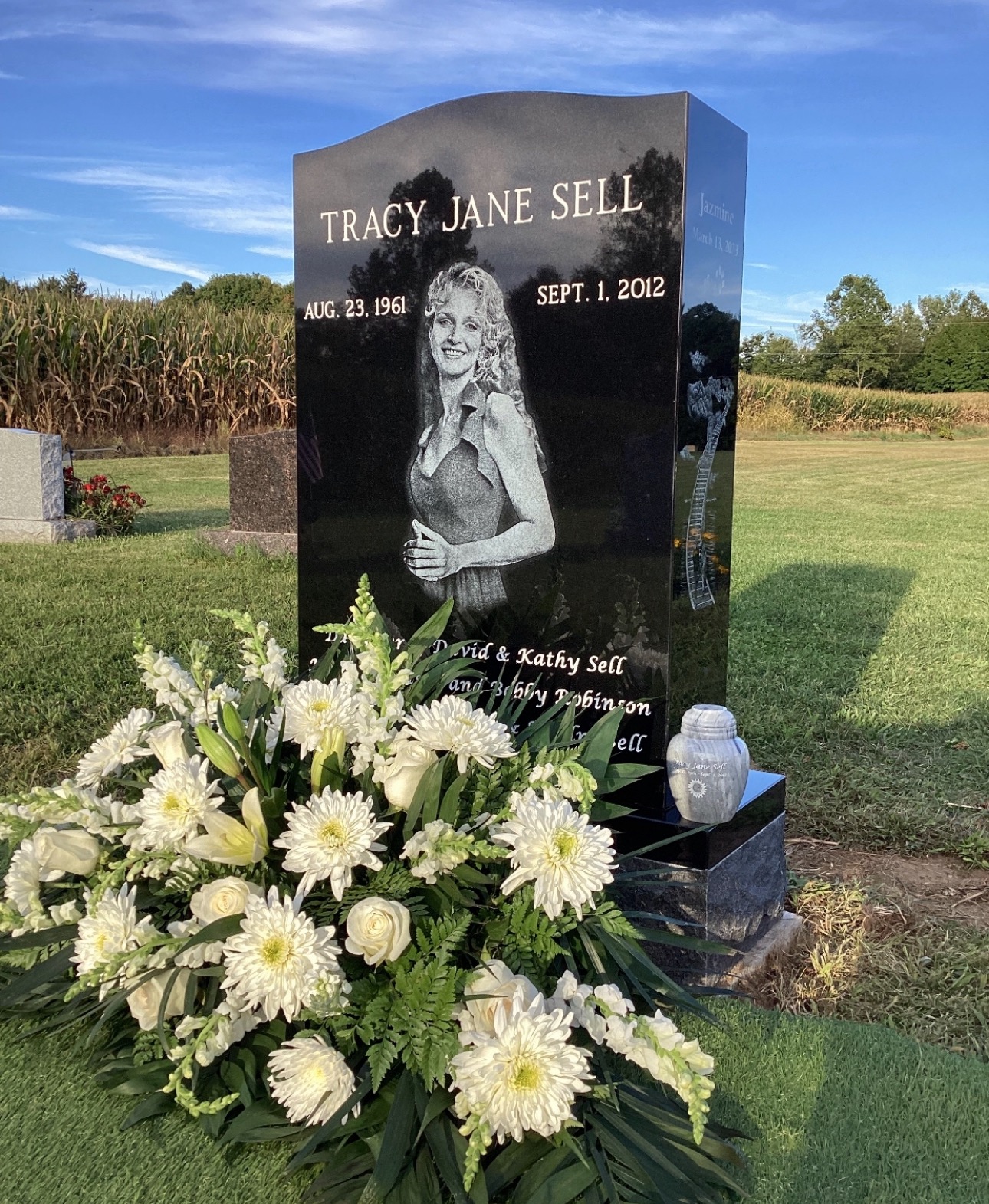
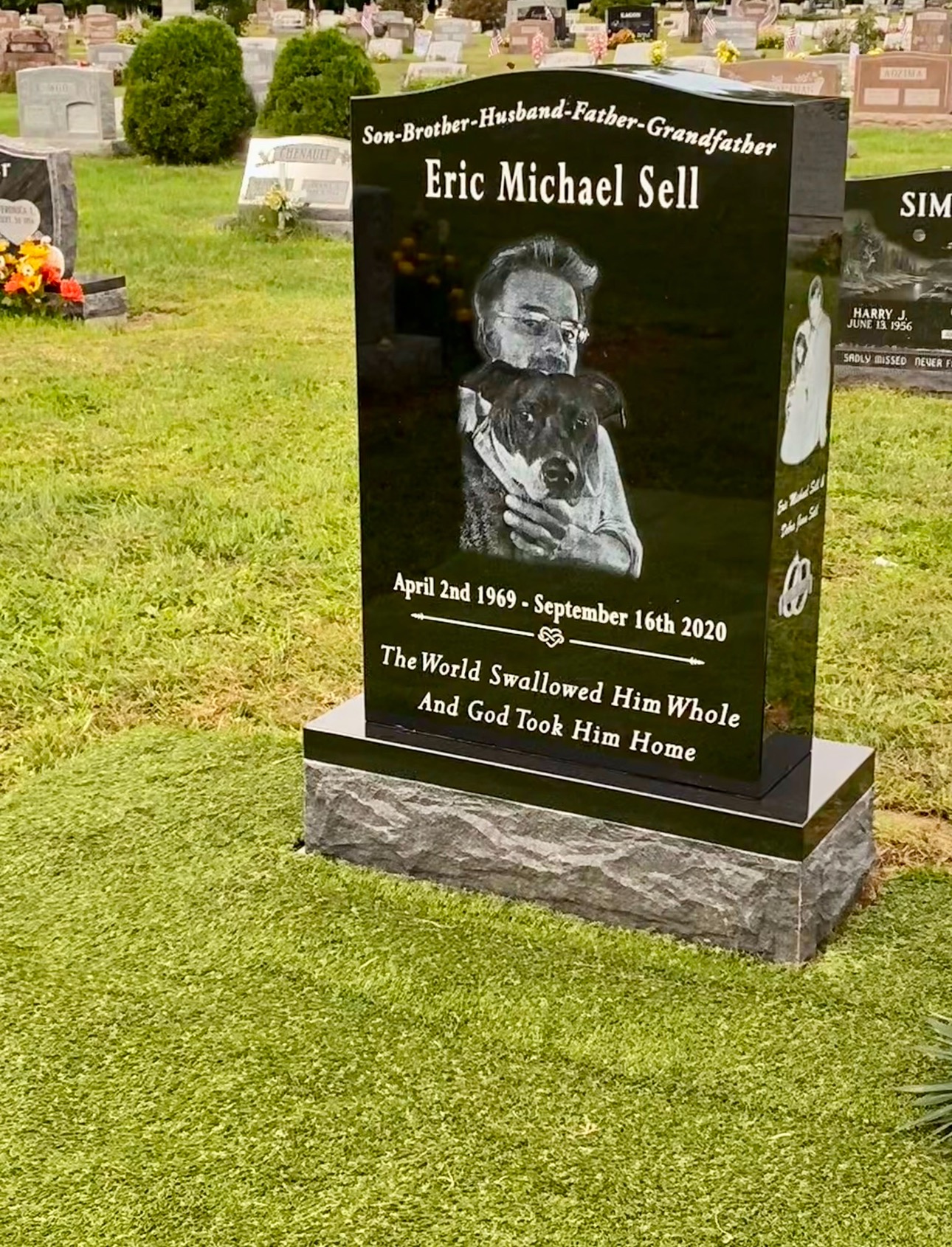
Ternvia can guide families through burial, cremation, monument, marker, and memorial product choices. Bella begins by asking what kind of memorial is needed, then helps gather the wording, photos, measurements, cemetery requirements, and proof approvals.

Gentle Tribute, Beautiful Goodbye
Bella Guidance: Bella will gently walk you through designing one of these memorial markers. When speaking with her, simply tell Bella that you would like to create a grave marker, cemetery monument, memorial stone, or engraved marker, and she will guide you through photos, wording, dates, measurements, proofs, and cemetery requirements step-by-step.

Bella starts here

The answer determines what records, measurements, cemetery forms, proof panels, and provider routing are needed.

Customize the marker

Monument Measurements

Store stone dimensions, base size, cemetery requirements, inscription area, vase placement, side-panel limits, and photo placement.

Needs cemetery info

Design Proof

The customer can review a proof before carving, etching, laser work, ceramic photo placement, or monument vendor production.

In Loving Memory Isabella Parker 1957 – 2023 Forever in our hearts

Documents & Red Tape

Keep death certificate status, cemetery forms, plot ownership, permits, transport paperwork, monument rules, and state/local requirements linked to the Vault record.

Vault connected
Funeral HomeCan help provide death certificate status, cemetery contact, required documents, and family approval routing.
Monument ProviderReceives measurements, proof PDF, inscription text, artwork, and production notes.
Ternvia Tribute ImprintNames, dates, photos, symbols, and tribute wording can be mapped into tombstone, marker, or monument layouts.
Records & RegulationsCemetery ordinances, plot rules, state requirements, transport documents, and family approvals stay attached to the Vault record.
Future website link: this page can link to your separate tombstone / monument website and later become a full ordering studio with measurements, cemetery rules, product choices, photo upload, proof approval, and provider routing.
RECORDS & REGULATIONS

Legacy Records & Regulation Vault

This protected section stores the documents and rules that may be needed before, during, or after memorial planning. It connects the family, funeral home, vendor workflow, and Vault in one organized place.

Legacy Path Guide: planning choices such as burial, cremation, urn style, gathering tone, and document responsibility can begin in Legacy Path and flow into Records & Regulations when they need review.
Document Storage Tokens: when a family stores or submits a document, Ternvia can create a non-monetary token that shows status, who is responsible, what is still missing, and who may access it.

Death Certificate

Store official death certificate copies, requested copies, pending status, and funeral home notes.

Vault Ready

Body Transportation

Track transport documents, authorization forms, carrier details, receiving location, and required permits.

Needs Review

State Ordinances

Keep state-specific burial, cremation, transport, scattering, and memorial regulations attached to the record.

Reference File

Personal Burial Wishes

Store family instructions, pre-planning notes, requested ceremony details, and burial or cremation preferences.

Family Input

How This Connects

FamilyUploads documents, adds instructions, and shares access with approved people.
Funeral HomeReviews death certificate status, transport documents, permits, and regulatory requirements.
Ternvia VaultStores Tribute Imprints, proofs, engraving records, vendor notes, legal documents, and long-term memorial files.
PermissionsAccess can be limited to family, funeral home, admin, or approved collaborators.

OFFICIAL DOCUMENT REFERENCES

Applicable links for death records, Social Security, verification, and agency accountability.

These references belong here because they support the Records & Regulations workflow. Ternvia can use this page to show what source applies, what document is needed, who is responsible, what timeframe is active, and where the final proof is preserved in the Vault.

Vital records

NAPHSIS EVVE

EVVE is the Electronic Verification of Vital Events. It allows authorized users and agencies to verify known or reported birth and death information directly with official vital records databases.

Use forBirth/death verification
Ternvia tokenVital Records Verification Token
Vault statusVerified / pending / needs correction
Social Security

SSA Death Reporting

SSA guidance explains that funeral homes generally report deaths to Social Security. If that does not happen, families may need a clear follow-up path.

Use forDeath reporting status
Ternvia tokenSSA Notification Token
ATLS useReminder / provider follow-up / family notice
Data exchange

SSA Data Exchange Request

Future authorized integrations would need legal authority, stated purpose, security safeguards, and agency approval. This is a planning reference, not a shortcut.

Use forAuthorized integration planning
Ternvia tokenAgency Accountability Token
SafetyHuman/legal review required
Electronic death registration

SSA I-EDR

SSA describes Internet Electronic Death Registration as an agency pathway that supports electronic death notices and Social Security number verification through vital statistics systems.

Use forState vital statistics / SSA notices
Ternvia tokenElectronic Death Registration Token
AccessAgency pathway, not public family portal

HOW IT CONNECTS TO ELIRYA

Records & Regulations becomes the document accountability center.

1Store sourceDeath certificate, SSA status, authorization, or regulation reference is tied to the Imprint.
2Create tokenATLS marks the task with a status token: requested, pending, verified, overdue, or needs review.
3Route responsibilityThe funeral home, family authority, provider, or admin sees what they are responsible for.
4Track timeframeTernvia can prompt follow-up when an agency/provider response is delayed.
5Preserve proofVerified status, files, notes, and proof history stay in the Vault.

Plain-language rule

Ternvia does not replace agencies or legal authority. It organizes the official references, document status, permissions, timers, and proof history around the family so grieving people are not forced to chase every office alone.

Future upgrade: this can connect to reminders, deadline tracking, secure uploads, permission-based sharing, document verification, and timestamped record history.

Vault

Clickable Vault Workspace

The Vault keeps the approved Tribute Imprint, family collaboration history, records, legal files, and digital permissions together. This front-end prototype makes the Vault folders clickable so the family can understand what belongs where.

Use of image assets: this uses the clean generated Vault and Kathleen card assets already inside the project, not the phone screenshot reference.
Vault•••
Kathleen Jacobs1962–2023 • Open sample pre-planning journey
ELIRYA SYSTEM FLOW

ATLS carries the Imprint through documents, final wishes, memorial layouts, production, and Vault preservation.

The Ternvia Imprint is the connected symbolic record that travels through the system. It does not stay on one screen. ATLS uses the same record to organize identity, story, photos, final wishes, documents, provider requirements, product compatibility, engraving placement, approvals, production notes, and Vault storage.

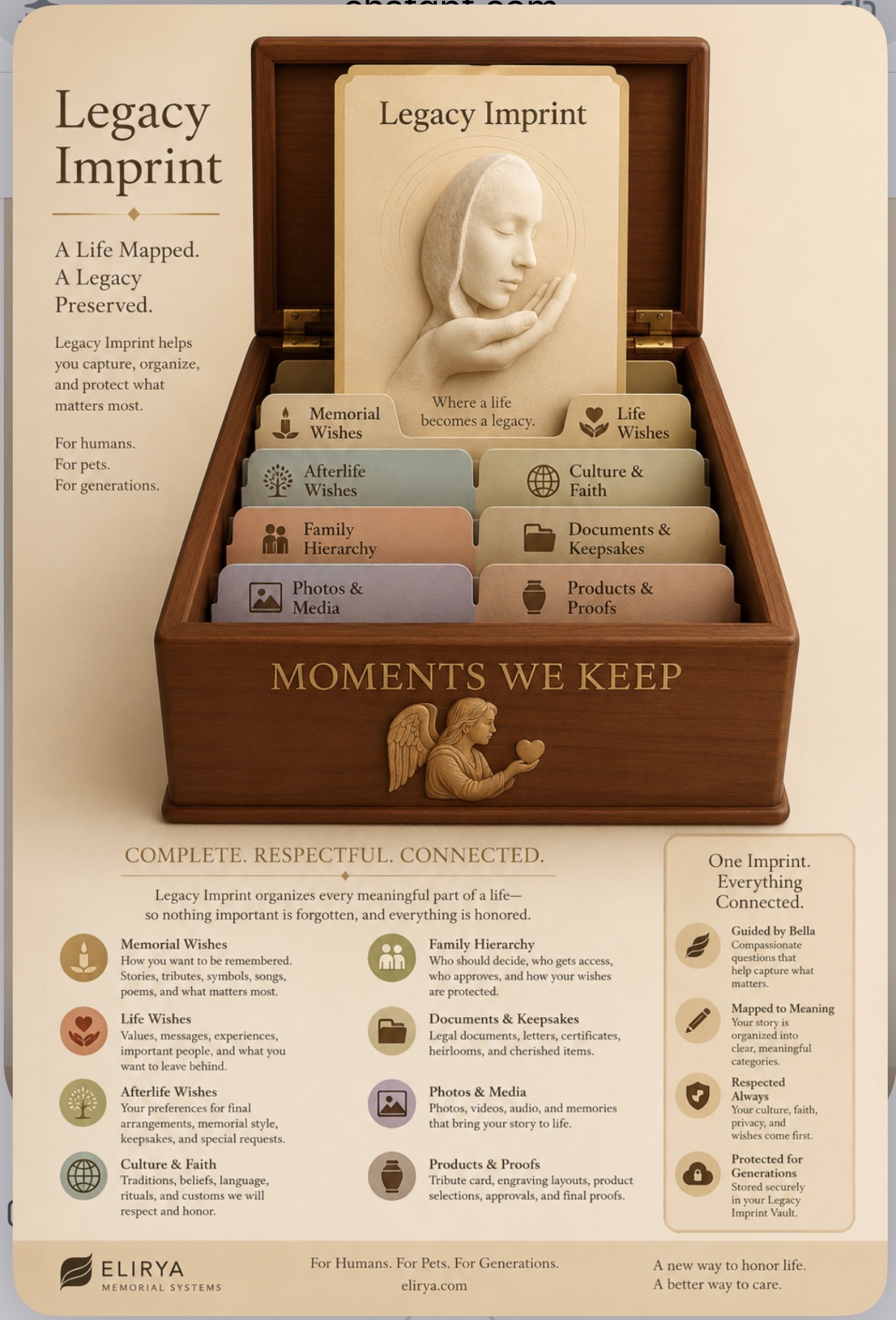
Legacy Imprint poster showing the Ternvia Imprint system box, organized wishes, documents, photos, media, products, proofs, and Vault connection
Imprint system visual: the box, folders, and central Legacy Imprint represent one connected record for wishes, documents, photos, media, products, proofs, and Vault preservation.
Memory Imprint card for Kathleen with portrait and tribute wording
Memory Imprint card: the family-facing record that can carry identity, portrait, quote, wishes, and proof decisions.

HUMAN IMPRINT WORKFLOW

One Imprint record carries the human story and the required steps.

For a person, the Imprint can begin before a death occurs through pre-planning, then continue through funeral-home coordination, legal documents, death certificates, cemetery or home-burial requirements, permissions, product selection, engraving proofs, and final Vault preservation.

The family enters the story once. ATLS carries the record forward and applies it where each memorial, document, provider, and product needs it.

This keeps the experience understandable for a family while giving the back office a technical workflow: identity data, media, permissions, document status, provider notes, engraving instructions, product compatibility, approvals, and production files remain tied to the same Imprint.

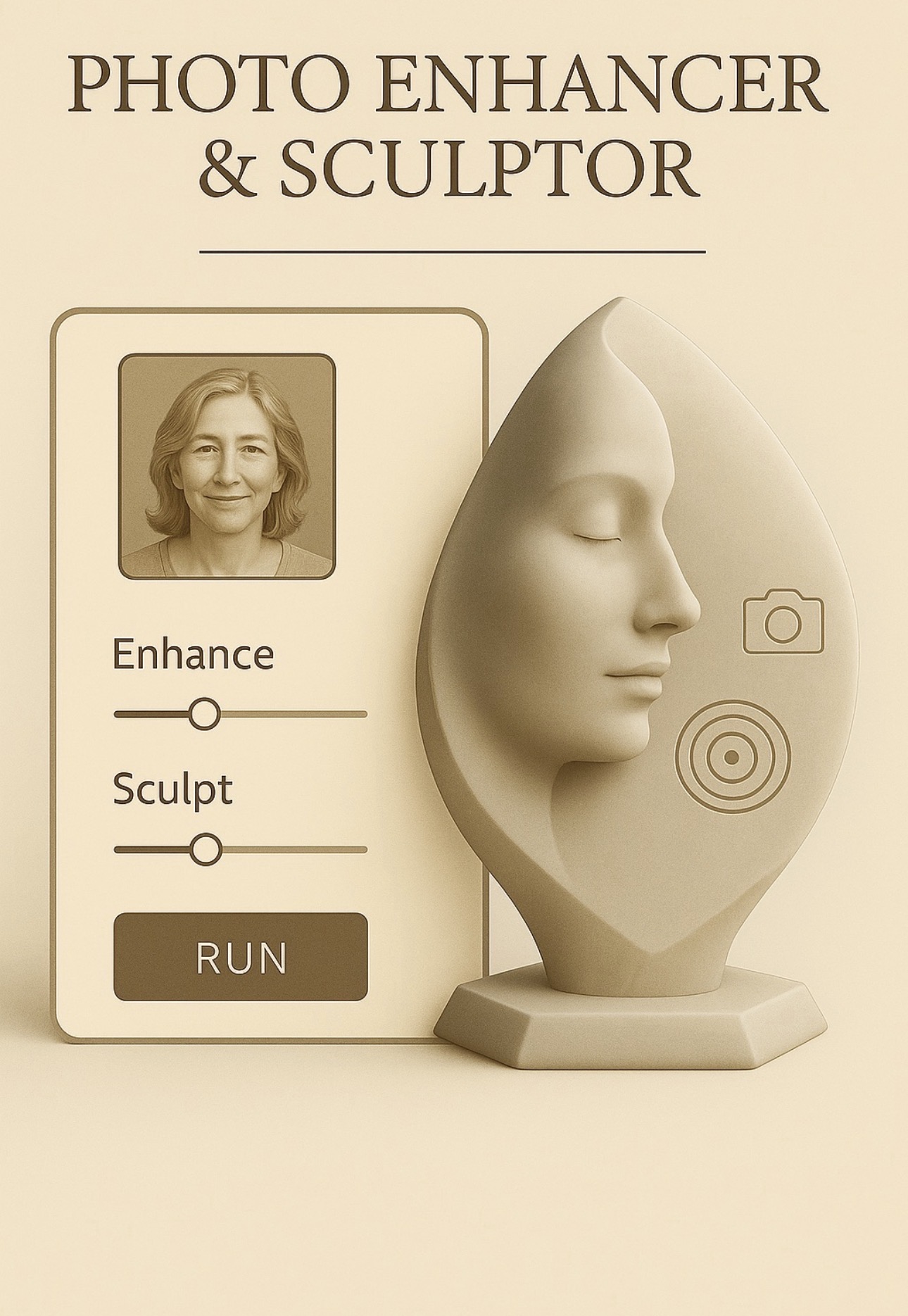
Photo Enhancer and Sculptor visual showing a portrait connected to a sculpted memorial form

Photo Enhancer + Sculptor

The Imprint can carry likeness, presence, and memorial direction together.

This visual represents how a family photo can become part of a larger Imprint record. ATLS can keep the true likeness connected to emotional photo correction, engraving preparation, sculpted memorial concepts, proof approval, production notes, and Vault preservation.

The goal is not to scatter the person’s story across separate uploads and decisions. The Imprint keeps the human presence, the permissions, the documents, and the design path connected in one organized system.

LikenessPortraits, photo correction, expression, and memorial-safe image preparation.
MeaningVoice, story, symbols, culture, faith, family notes, and final wishes.
PermissionApprovals, document status, provider needs, and access control.
OutputEngraving layouts, product proofs, production files, and Vault storage.

ATLS worksheet chain

Capture Permission Documents Secure Ledger Final Wishes Engraving Vault
1

Pre-Planning

Final wishes, family contacts, service preferences, disposition notes, and access permissions begin the record.

2

Documents

Death certificates, authorizations, cemetery paperwork, home-burial notes, city/state rules, and provider requirements attach to the same workflow.

3

Tribute Content

Photos, stories, audio notes, symbols, tone, verses, dates, and family-approved wording become structured memorial content.

4

Memorial Mapping

ATLS maps the Imprint to urns, keepsakes, plaques, vase urn engraving, marker concepts, and vendor-compatible products.

5

Proof + Vault

Approved proofs, production files, document history, and final memorial records are preserved in the Vault.

Human record components

  • Identity, family contacts, final wishes, and permissions
  • Death certificate status, authorizations, provider notes, and regulation checklists
  • Portraits, stories, tribute verse, proof approvals, and production files

Memorial output

  • Vase urn text, photo plaque placement, keepsake engraving, and multi-panel layouts
  • Proof packages for customer approval before production
  • Vault record for the family, provider, and approved collaborators

Recovered Imprint Categories

The card gathers. The Imprint organizes.

The Legacy Input Card begins the process by holding the name, story, photos, wishes, relationships, phrases, symbols, and emotional tone. The Legacy Imprint is the deeper system behind it: ATLS sorts that input into memorial wishes, life wishes, afterlife wishes, cultural respect, family authority, documents, photos/media, product proofs, and Vault permissions.

Legacy Input

One guided input becomes one organized memorial intelligence record.

What looks physical — a card, form, upload, folder, proof, keepsake, or plaque — becomes a structured system of meaning. The system listens for emotional resonance, repeated themes, cultural signals, permissions, product needs, and approval requirements, then adapts the memorial path with respect.

Physical Form

Cards, folders, forms, uploaded documents, photos, proofs, plaques, urn panels, keepsakes, and approvals are the visible parts of the system.

Digital Imprint

Behind the form, Ternvia stores structured meaning: stories, wishes, values, culture, family roles, permissions, product selections, proof status, and Vault history.

Resonance Layer

The system detects themes, emotional tone, symbols, relationships, uncertainty, cultural markers, and approval signals, then adapts the next question or recommendation.

Pile System

Every piece of the life record has a respectful place.

These categories let families add information once, while ATLS keeps each piece connected to the right next step: tribute wording, product selection, document handling, engraving preparation, approval, and Vault storage.

Memorial Wishes

Collects how the person or pet wants to be remembered: stories, tribute tone, names, dates, poems, songs, symbols, photos, preferred memorial style, and what the family wants others to feel.

Output: tribute directionFeeds: Tribute ImprintFeeds: engraving copy

Adaptive Process

How ATLS moves the Imprint through the website.

1. Capture

Bella asks gentle questions and collects the input card, photos, stories, wishes, documents, and cultural preferences.

2. Sense

The system reads meaning signals: love, faith, service, humor, simplicity, tradition, urgency, privacy, or ceremony needs.

3. Sort

Each answer is placed into the correct layer: memorial, life, afterlife, culture, hierarchy, documents, media, or proofs.

4. Map

The Imprint connects the story to products, engraving zones, funeral-home care, proof approvals, keepsakes, and Vault access.

5. Protect

The approved record is stored with permissions, so nothing important is forgotten and the family knows what was approved.

Funeral Home Logic

Support first. Product guidance through meaning.

Legacy Imprint gives funeral homes a clearer care brief before product recommendations. Instead of asking a family to choose from a cold catalog, ATLS uses the Imprint to suggest memorial options that match the person’s values, culture, tone, and practical needs.

Care Brief: what the family values, who should be contacted, cultural considerations, and sensitive topics.
Product Guidance: urns, plaques, keepsakes, photo engraving, tribute cards, and memorial packages based on meaning.
Approval Path: who approves spelling, layout, photos, cultural details, and final proofs.
Revenue Ethic: increase personalization and product sales without pressuring grief.

Vault Logic

One Imprint. Everything connected.

The approved Imprint is stored in the Vault as the protected record. It can hold the Tribute Imprint, final proof, product selections, engraving files, photo restoration notes, document references, hierarchy permissions, cultural instructions, and approval history.

“It does not reduce a life to data. It gives memory a structure so it can be honored.”
Tribute ImprintProofsPermissionsCultural rulesPhotosProductsVault archive
Token layer: Imprint Tokens can mark permission, photo approval, document status, proof approval, provider access, and Vault access. Open the Imprint Tokens page.
Plain-language summary: The Imprint is the organizing record. ATLS is the logic that carries it forward. The Vault is where the approved history is preserved. The family sees a gentle guided experience; the system keeps every memorial step connected.

LEGACY INPUT

The card gathers the first layer of meaning.

Legacy Input is the first guided place where a family, individual, or partner begins collecting the story. It may look like a card, form, upload, worksheet, or conversation, but its job is broader: it captures the raw emotional and practical material that ATLS will organize into the Imprint.

Story + Tone

Names, relationships, memories, phrases, voice, faith, humor, tenderness, and the emotional direction of the memorial.

Photos + Media

Portraits, pet photos, voice notes, videos, symbols, and photo-correction references that may become part of the final memorial.

Practical Details

Dates, spelling, product preferences, family contacts, proof approvers, documents, permissions, and service notes.

Plain meaning: the family enters the important pieces once. ATLS starts turning those pieces into a connected Imprint record.

PILE SYSTEM

Every piece of the life record has a respectful place.

The Pile System is how ATLS keeps the Imprint organized. Instead of mixing memories, documents, permissions, photos, products, and proof approvals together, each piece is placed into a meaningful category so it can be used in the right part of the memorial workflow.

Memorial Wishes

How the person or pet should be remembered: tribute tone, stories, symbols, verse, songs, products, and memorial style.

Life Wishes

Messages, values, unfinished wishes, living legacy, people to notify, and what should be preserved for family.

Afterlife Wishes

Burial, cremation, ceremony, spiritual preferences, disposition notes, keepsakes, timing, and final arrangement preferences.

Culture & Faith

Language, rituals, beliefs, sacred symbols, cultural restrictions, and ceremony details that must be respected.

Family Hierarchy

Decision makers, access rules, proof approvers, family contacts, permissions, and sensitive relationship notes.

Documents & Keepsakes

Death certificates, authorizations, letters, heirlooms, pre-planning forms, home burial notes, and provider requirements.

Photos & Media

Portraits, pet references, photo restoration notes, engraving-safe images, voice recordings, video, and symbolic imagery.

Products & Proofs

Urns, panels, plaques, keepsakes, vendor products, engraving zones, proof approvals, production notes, and files.

Vault

The protected final record where approved Imprints, proofs, documents, product records, and family access are preserved.

ADAPTIVE PROCESS

ATLS turns one Imprint into the next correct step.

The Adaptive Process is the logic path behind the guided experience. It reads what has been entered, places it into the right category, and then uses that organized Imprint to suggest products, photo preparation, document needs, engraving layouts, proof routing, and Vault storage.

Capture

Bella or the intake screen gathers stories, photos, wishes, documents, permissions, and product interests.

Sense

ATLS identifies tone, themes, cultural signals, product constraints, missing information, and approval needs.

Sort

Each answer is organized into memorial wishes, life wishes, afterlife wishes, family hierarchy, documents, media, products, or Vault.

Map

The Imprint is connected to urns, panels, photo areas, poems, proofs, vendor rules, and production file requirements.

Preserve

Approved details and records move into the Vault so the memorial history stays together.

Why this matters

Families experience one gentle path instead of many disconnected forms. Behind the scenes, the website behaves like a structured workflow: input becomes categorized meaning, categorized meaning becomes memorial choices, and approved choices become production-ready files and protected records.

FUNERAL HOME LOGIC

The Imprint gives partners a clearer care brief.

For funeral homes and partner providers, the Imprint is more than a product-selection tool. It can become a respectful care brief that helps staff understand family priorities, cultural needs, approval authority, document status, and memorial direction before presenting options.

Care Guidance

Family tone, cultural notes, sensitive details, service preferences, and who should be included in decisions.

Product Guidance

Urns, keepsakes, plaques, photo engraving, vendor compatibility, budget-sensitive options, and Ternvia signature products.

Approval Routing

Who approves spelling, photos, panel layout, proof revisions, documents, and final engraving authorization.

Continuity

Provider notes, customer proof, production files, shipping, and Vault records stay connected to the same Imprint.

Plain meaning: the partner sees a more complete picture of the family’s needs before helping them choose memorial products.

VAULT LOGIC

The Vault preserves the approved Imprint record.

Vault Logic is the final continuity layer. It keeps the approved record together so the family, Ternvia, and authorized partners can return to the same source of truth for proof approvals, product details, documents, permissions, photo notes, engraving files, and memorial history.

Approved Proofs

Final layouts, spelling confirmation, panel choices, customer sign-off, and proof history.

Documents

Death certificates, authorizations, final-wish notes, provider requirements, cemetery/home-burial notes, and related records.

Media

Original photos, corrected photos, engraving-safe versions, symbols, voice/video notes, and reference files.

Production Files

Engraving maps, material choices, zone assignments, Corel/Epilog notes, vendor routing, and shipment details.

Permissions

Access levels, family hierarchy, partner permissions, approval authority, and release notes.

Legacy Record

The preserved Imprint that connects the person or pet’s story to the memorial that was actually created.

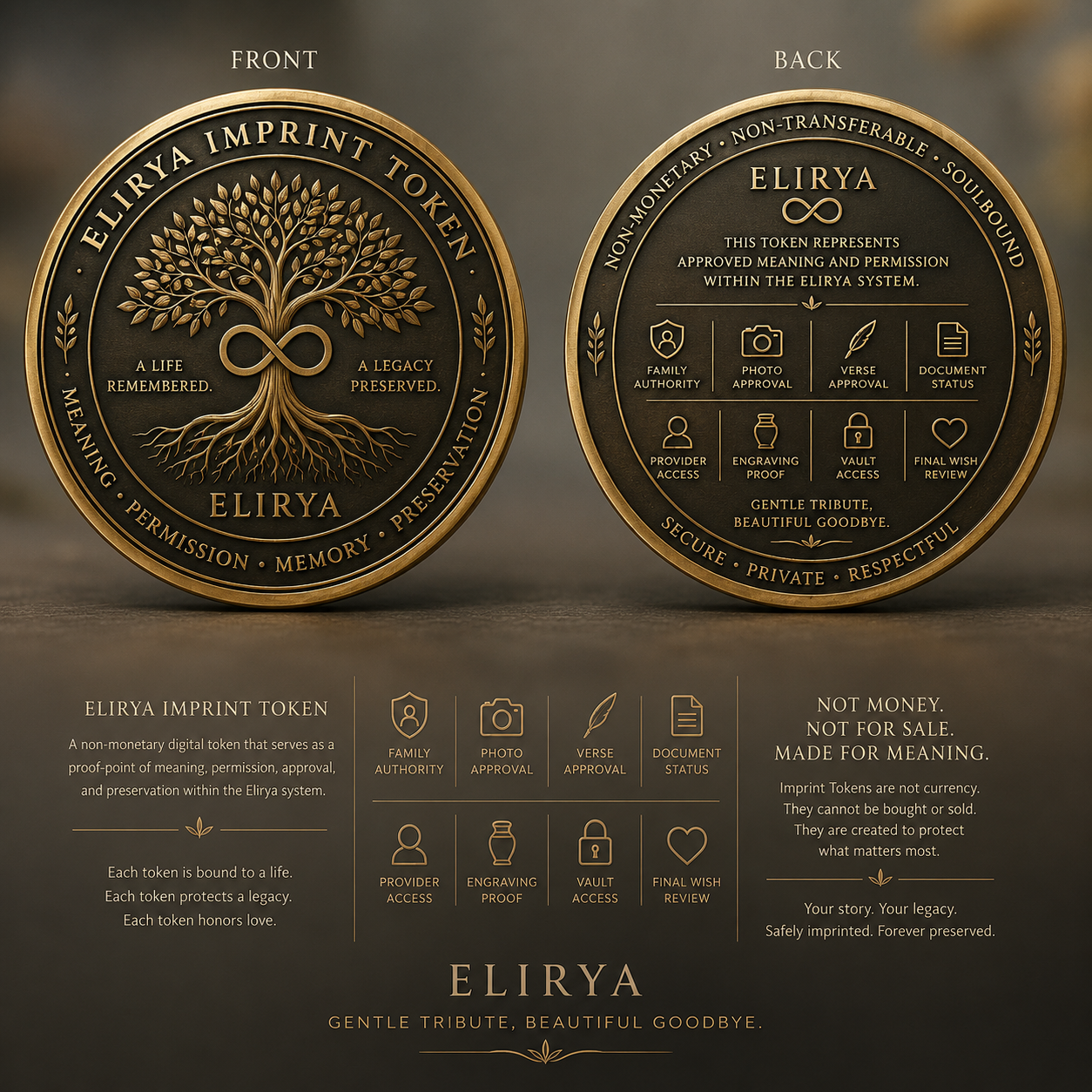
Ternvia Imprint Token medallion showing front and back designs for meaning, permission, approval, and preservation
Ternvia Imprint Token Not money. Not for sale. A memorial proof-point for meaning, permission, approval, and preservation.

IMPRINT TOKENS

Non-monetary markers of meaning, permission, approval, and preservation.

Imprint Tokens are not currency. They are simple memorial proof-points connected to the Tribute Imprint Record. Each token says what was approved, who may see it, which photo or verse belongs to the memorial, which document is present, and what should be preserved in the Vault.

This gives families a plain-language experience while giving Ternvia, funeral homes, engravers, vendors, and authorized collaborators a cleaner way to understand status, access, and approval.

What an Imprint Token means inside Ternvia

An Imprint Token is a non-monetary digital marker attached to one Tribute Imprint Record. It can represent permission, access, approval, document status, product routing, proof history, or Vault preservation. It does not replace the original document or family approval; it records that the approved item belongs to the memorial workflow.

Not money

No resale value, no trading, no customer-facing cryptocurrency promise.

Not a legal executor

It records and routes approved information; it does not automatically enforce final wishes.

Ledger-ready later

It can begin as database records and later support secure audit trails or blockchain-compatible events.

SYSTEM DIAGRAM

How Imprint Tokens organize the memorial workflow.

Each token is a non-monetary status marker attached to the Tribute Imprint Record. It helps the right person see the right information at the right step, without turning the memorial into a financial product.

1 Bella Intake story, photo, wishes, documents
2 Tribute Imprint Record one organized source of truth
3 Imprint Token Layer permission + approval markers
Family Authority
Photo Approval
Verse Approval
Document Status
Provider Access
Engraving Proof
Vault Access
Final-Wish Review
4A Family View simple status, proof approval, Vault access
4B Provider View only what funeral homes, vendors, or engravers need
4C Production View approved panels, files, layout, and fulfillment notes
4D Vault View preserved record, proof history, documents, and memory
What it prevents: lost approvals, repeated family questions, wrong files, unclear authority, and scattered proof history.
What it creates: a calm, traceable path from memory to memorial, with privacy and permission built into each step.

HOW IT FITS THE WEBSITE

Bella gathers. The Imprint organizes. Tokens mark what is approved.

1Bella Walkthrough

The family shares the story, photo, tone, wishes, and product preferences.

2Tribute Imprint

ATLS turns the input into one structured record that can travel through the system.

3Imprint Tokens

Key approvals, permissions, documents, photos, and proof decisions receive status markers.

4Mapping + Proof

The record maps to panels, products, engraving files, partner routing, and customer proofs.

5Vault

The approved Imprint, tokens, documents, proofs, and memorial history stay together.

Family Authority Token

Marks who can approve spelling, photos, layouts, permissions, and final proof release.

Photo Permission Token

Marks which photo was selected, corrected, approved, and allowed for engraving or display.

Verse Approval Token

Marks the accepted Generated Tribute Verse, short engraving phrase, or written tribute.

Document Status Token

Marks that a death certificate, authorization, pre-planning form, cemetery note, or home-burial requirement exists in the record.

Provider Access Token

Marks what a funeral home, engraver, vendor, cemetery, or partner can see and use.

Engraving Proof Token

Marks the exact approved layout for front panel, top panel, inside lid, tray, plaques, or keepsakes.

Vault Access Token

Marks who can return to the approved record, view files, download proofs, or share history.

Final-Wish Event Token

Marks an instruction or future reminder that must be reviewed by family, provider, or legal authority before action.

TOKEN SOCIETY

The permissioned circle around a life record.

The Token Society is not a market. It is the living circle of people and providers connected to one life or pet record: family, funeral home, cemetery, engraver, vendor, estate contact, clergy, caregivers, and approved collaborators.

Family clarity: who approves, who receives access, and what has already been decided.

Provider clarity: who may see documents, photos, product needs, and proof status.

Memorial clarity: the same approved record follows the memorial from intake to Vault.

BUILDING IT SAFELY

Start with records. Add secure ledger later.

The first version should be simple and reliable: database records tied to the Tribute Imprint. A later version can add secure-ledger or blockchain-compatible audit events for selected approvals without making families deal with crypto.

1

Phase one: regular database tokens for status, access, proof approval, and Vault permissions.

2

Phase two: audit trail showing who approved what and when.

3

Phase three: optional secure-ledger anchoring for selected finalized events.

Plain-language website copy

Imprint Tokens are memorial proof-points. They show which pieces of the Tribute Imprint have been approved, protected, shared, mapped, or preserved. They are not currency; they are the status markers that help ATLS carry one record through Bella, Imprint, proof, production, partner access, and Vault storage.

CONSUMER TOKEN DASHBOARD

Tokens help families track progress, share access, and know what still needs attention.

Ternvia tokens are non-monetary status markers. When a customer finishes an order or stores documents, the system can create tokens that show what has been completed, what is waiting, who can access it, and what needs to happen next.

PLAIN LANGUAGE RULE

Tokens are not money. They are progress, permission, and proof markers.

A family should be able to open one dashboard and see: order complete, proof approved, document stored, photo permission granted, funeral home access shared, vendor routing pending, or Vault complete.

SAMPLE FAMILY VIEW

Kathleen Jacobs · Tribute Imprint Token Wallet
This is how the customer could see progress without needing to understand the database.

IMPRINT ID · KJ-1962
Order CompleteComplete

Memorial box selected, proof approved, production file package created.

Documents StoredStored

Final-wish note, photo permission, proof authority, and selected records saved to Vault.

Photo PermissionApproved

Kathleen photo may be used for card, proof, inside lid, and engraving preparation.

Funeral Home AccessShared

Funeral home can see only the document and routing details approved for them.

Vendor RoutingPending

Vendor or shop routing waits until final material and shipping details are confirmed.

Needs ActionAdd Info

Family needs to add backup contact and burial/cremation preference when ready.

ORDER TOKEN

When the family finishes an order, Ternvia creates an Order Completion Token.

This token helps the customer trace the order after checkout or approval. It can show proof approval, product mapping, engraving package, vendor routing, production status, shipping, and Vault storage.

Order Token

Proof approvedCustomer accepted layout
Done
Production packagePDF, SVG, photo, order sheet
Done
EngravingWaiting for shop queue
Pending
Vault archiveStores final proof and files
Pending
Token nameOrder Completion TokenCreatedKJ-ORDER
Created whenOrder/proof package reaches customer-approved status.ApprovedProof PDF
TracksProduct, panels, proof, production package, vendor route, engraving, shipping, Vault.ActiveATLS
Customer seesProgress, next step, missing info, and completed milestones.VisibleFamily

DOCUMENT TOKEN

When documents are stored, Ternvia creates Document Storage Tokens.

A Document Storage Token helps the family know what has been uploaded, what has been verified, who needs access, and what still has to be added. It does not replace the document. It tracks the document’s place in the memorial workflow.

DOCUMENT RULE

The file stays in the Vault. The token shows its status.

The token can say: uploaded, waiting for review, verified, needs correction, shared with funeral home, or archived.

Uploaded Token

Created when a family uploads a final-wish note, authorization, death certificate copy, ID, cemetery rule, or proof authority.

Needs Action Token

Marks documents that are missing, incomplete, not signed, unreadable, or waiting for family/provider input.

Verified Token

Marks a document as reviewed and connected to the correct Tribute Imprint Record.

Shared Token

Lets a funeral home, provider, vendor, or family member see only the selected document or status.

Archive Token

Shows that the final approved document copy has been placed in the Vault.

Reminder Token

Prompts the family or staff when something still has to be added or followed up.

Final wishesStored with Kathleen’s pre-planning Imprint.StoredFamily
Proof authorityFamily decision-maker named for product proof and production approval.ApprovedAdmin
Burial preferenceNot ready. Family can add later without losing the Imprint.Add InfoFamily
Funeral home contactCan be shared when the provider is selected.PendingProvider

SHARED ACCESS TOKENS

Other people can have tokens too, but only for what they are allowed to see or do.

A family may want to share with a sibling, funeral home, cemetery, vendor, engraver, or Ternvia admin. Shared Access Tokens make that role clear: view only, upload, approve, comment, fulfill, or archive.

CONTROLLED SHARING

Everyone can contribute love. Not everyone can approve production.

Shared tokens let the system separate memories and collaboration from legal authority, proof approval, provider access, and production release.

Family Contributor

Add stories, photos, notes, and poem suggestions.

Share
Proof Approver

Approve final spelling, photo, verse, product layout, and production release.

Approve
Funeral Home

View document status, service preferences, routing notes, and required forms.

Provider
Vendor / Engraver

See only approved production package, SKU, material, and shipping details.

Fulfill
Ternvia Admin

Override, review, approve queue, production readiness, and Vault archive.

Admin
Vault Viewer

Open, download, print request, or share final approved records.

View
Backup Contact

Can be assigned if the main decision-maker is unavailable.

Backup
Needs Review Hold

Pauses access if details are disputed, sensitive, missing, or unclear.

Hold

TOKEN PROGRESS FLOW

How tokens trace the customer journey from Bella to Vault.

This is the system view: each major milestone can create a token or update a token status, helping the family see what is complete and what still needs attention.

1Bella StoryStory, tone, photo, final wishes, and people gathered.
2Imprint CreatedTribute Imprint Record receives a non-monetary ID.
3Documents StoredDocument Storage Tokens track files and missing items.
4Proof ApprovedApproval Token marks family sign-off before production.
5Order CompleteOrder Completion Token tracks product and production status.
6Shared AccessPermission tokens let approved people view or act.
7Vault PreservedVault Token confirms the final record was archived.

BUILD NOTE

Start as database records. Add stronger audit technology later.

The first build should make tokens useful to families: status, access, reminders, and proof history. Later, tokens can support secure audit trails or BoxChain-style event records, but they should not be presented as currency or as a substitute for legal authority.

VERIFIED DOCUMENT TRIGGERS

Accountability without adding more burden to grieving families.

This layer gives ATLS a practical way to track the documents and agency responses that families often have to chase after a death. It does not bypass the law. It creates a clear record, deadline, reminder path, and escalation trail so families, funeral homes, and authorized agencies can see what is pending, what has been verified, and what still needs human review.

SAFE DIRECTION

ATLS should trigger action, not replace legal authority.

The safest version is a verified-event workflow: ATLS stores the family’s information in the Imprint, creates non-monetary accountability tokens, tracks the timeframe, sends reminders, records agency/provider responses, and keeps the final evidence in the Vault.

1

Verify before action. A death-certificate or Social Security step should move only after the right document, provider, or official source confirms it.

2

Escalate without bypassing. Tokens can flag delays and prompt follow-up, but they should not override state, federal, or provider requirements.

3

Keep private data off-chain. If blockchain is ever used, only a hash or proof marker belongs there — not names, SSNs, certificates, photos, or family details.

HOW THE ACCOUNTABILITY CHAIN WORKS

One Imprint creates a tracked path through documents, agencies, providers, and Vault storage.

Families should not have to repeat the same details to every office. The card stores the information once, then ATLS turns each required step into a visible, permissioned status item.

1Family / Funeral Home InputBella collects the story, contacts, authority, SSN field, documents, and final-wish notes.
2Imprint PacketATLS organizes the required fields and stores them inside the Tribute Imprint Record.
3Trigger TokensNon-monetary tokens mark document requests, response clocks, authority, and verification status.
4Provider / Agency RoutingOnly the approved party sees the information needed for their task.
5Timer + EscalationIf no response is recorded within the configured timeframe, ATLS prompts follow-up.
6Vault EvidenceVerified responses, proof history, and final document status are preserved in the Vault.
Death Certificate Request Token

Tracks whether the certificate has been requested, received, corrected, or still pending.

SSA Notification Token

Tracks whether the funeral home or authorized party has reported or needs to report the death.

Vital Records Verification Token

Tracks whether an official vital-record pathway has confirmed the death record.

Agency Response Timer

Starts a visible deadline for follow-up, reminders, and escalation notes.

Family Authority Token

Shows who is allowed to approve release, corrections, or document sharing.

Provider Accountability Token

Shows which funeral home, cemetery, vendor, or agency is responsible for the next step.

Human Review Hold

Stops automatic movement when a document is disputed, incomplete, sensitive, or legally unclear.

Vault Completion Token

Marks that the required documents and proof history are stored with the final Imprint.

CONFIGURABLE TIMEFRAMES

Automatic reminders, not automatic legal shortcuts.

Each trigger can have a configurable response window. The exact number of days should be set by law, provider rules, family preference, or Ternvia policy.

Day 0Document request or agency/provider task is created.
Day 2–3If no update is recorded, ATLS prompts the responsible provider or admin.
Day 5–7If still unresolved, ATLS flags the item for escalation or human review.
CompletedVerified status, response notes, and proof of action are stored in the Vault.

WHAT THIS ALLEVIATES

Less red tape for the family. More accountability in the workflow.

The goal is to prevent a grieving family from becoming the project manager of every agency, document, provider, and proof. ATLS can show what is done, what is pending, who has the next responsibility, and what is overdue.

This is especially useful for death certificates, Social Security reporting, cemetery requirements, cremation authorizations, home burial notes, benefit reminders, and estate-related document packets.

OFFICIAL-SOURCE PATHWAYS

Future integrations should connect to authorized verification sources, not scrape or guess.

Ternvia can start with checklists, document upload, reminders, and human review. Later, authorized integrations could use official-source verification where legally allowed.

Vital event verification

EVVE verifies birth and death information against official state, territorial, and jurisdictional vital records databases for authorized users.

NAPHSIS EVVE
Social Security reporting

Funeral homes generally report deaths to Social Security. If that does not happen, the family may need to contact SSA directly.

SSA death reporting
Data exchange approval

Formal SSA data exchange requires legal authority, stated purpose, security safeguards, and SSA approval.

SSA data exchange

Plain-language rule

Tokens can accelerate coordination, but they should never bypass legal authority, required documents, or human review. The safest promise is accountability: Ternvia records the request, routes it to the responsible party, starts the timer, prompts follow-up, preserves proof, and gives the family one place to see the status.

LEGACY PATH

Plan with clarity, not pressure.

Legacy Path is Ternvia’s calmer word for planning ahead. It gives families a place to gather preferences, documents, people, photos, faith or cultural needs, and memorial ideas before everything becomes urgent.

The point is not to make the experience darker. It is to give the family a clearer path: what kind of care is wanted, what products may fit, what documents may matter, and how the Tribute Imprint can carry those choices into proofs, production, and the Vault.

Guided by Bella

A calmer first step for aftercare, pre-planning, or tribute creation.

Bella does not have to begin with product choices. She can first help the family gather the practical and emotional pieces that matter, then ATLS can carry the right parts into the Tribute Imprint Card, proofs, provider notes, and Vault records.

Aftercare dataNames, dates, next contacts, provider notes, service needs, and urgent tasks.
Pre-planning dataPreferences, documents, people to notify, cultural wishes, memorial ideas, and Vault permissions.
Tribute dataPhotos, memories, tone, poems, symbols, inscriptions, and card wording.
Production dataProof approvals, product mapping, vendor limits, Corel/Epilog notes, and admin routing.
“I’m here with you. We can begin with one small detail, one document, one memory, or just the next gentle step.”
Ternvia purpose: Legacy Path does not force decisions. It lets the family collect preferences over time so Bella and ATLS can organize them into a Tribute Imprint when they are ready.

LEGACY PATH GUIDE

Choosing burial or cremation

This page gives families neutral information. It should not push either path. Bella can ask what matters most: faith, family tradition, cost, location, timing, environmental wishes, keepsakes, cemetery needs, or flexibility.

FTC RIGHTS

Families can choose only the goods and services they want.

The Funeral Rule gives consumers rights around itemized pricing, selecting only wanted goods/services, and using a casket or urn purchased elsewhere. Ternvia should turn that into a gentle checklist, not a sales-pressure moment.

Burial may fit when...

  • Faith, culture, or family tradition points toward burial.
  • A cemetery plot, family plot, mausoleum, or burial site is already chosen.
  • The family wants a graveside marker, monument, or place to visit.
  • The person wanted casket burial, urn burial, or natural/green burial.
  • Local rules, cemetery requirements, or family documents need review.

Cremation may fit when...

  • The family wants more timing flexibility for a memorial gathering.
  • A personalized urn, keepsake, scattering plan, niche, or home placement is desired.
  • Cost, travel, relocation, or family distribution matters.
  • The person wanted cremated remains divided among keepsakes or family members.
  • The family wants options for burial of an urn later.
1PreferenceBurial, cremation, undecided, or faith/culture-guided.
2PlaceCemetery, home, niche, scattering location, mausoleum, or Vault record.
3ObjectCasket, urn, keepsake, stone, plaque, frame, or custom panel.
4ProofNames, dates, wording, photo, material, and approval path.
5VaultStore the decision, document notes, proof, and permissions.

LEGACY PATH GUIDE

Urn styles and memorial options

An urn is not just a container. In Ternvia, the urn style should follow the Tribute Imprint: the story, tone, placement, photo needs, engraving needs, family access, and whether the urn is displayed, buried, shared, or stored.

ELIRYA DECISION RULE

The Imprint should suggest the urn, not the other way around.

Bella can ask where the memorial will live, how many people need access, whether a photo is desired, whether the urn will be buried, and which panels should carry the tribute.

Full-size urn

Primary urn for adult remains or larger pet remains. Can support display, burial, niche placement, or custom panels depending on material.

Companion urn

Larger capacity for two people or two pets, often chosen for partners or bonded companions.

Keepsake urn

Small urn for a portion of remains, useful when multiple family members want a memorial piece.

Biodegradable urn

Designed for earth or water return when the family wants a natural or environmental path.

Burial urn

Chosen when cremated remains will be buried. Cemetery rules may require an urn vault or specific container.

Columbarium / niche urn

Designed to fit a cemetery niche. Size matters before ordering or engraving.

Photo / engraved urn

Supports a photo, nameplate, plaque, marble, metal photo plate, or engraved poem.

Jewelry / sharing keepsake

Small wearable or display keepsake for a tiny portion of remains, fur, soil, or memorial material.

For display

Ask about room style, visibility, photo preference, dust/light, and who should see it.

For burial

Ask cemetery rules, outer container requirements, marker/monument plans, and whether engraving must survive outdoors.

For sharing

Ask whether multiple keepsakes, jewelry, or small urns should be prepared for family members.

LEGACY PATH GUIDE

Burial choices without pressure

Burial does not only mean a traditional casket. Families may consider casket burial, urn burial, cemetery niche, mausoleum, natural burial, family plot, or other options that depend on location and law.

CHECK LOCAL RULES

Rules can vary by cemetery, city, county, and state.

Ternvia should store the family’s preference and route the requirement to Records & Regulations. A family should not have to remember every permit, cemetery rule, or timing detail alone.

Cemetery burial

Casket or urn burial in a cemetery plot. Ask about opening/closing fees, markers, vault/liner requirements, and perpetual care.

Urn burial

Cremated remains can be buried. The cemetery may require a burial urn, urn vault, marker, or specific container.

Mausoleum / crypt

Above-ground placement, often with building rules, inscription requirements, and space limitations.

Columbarium niche

A dedicated niche for an urn. Size, material, and engraving rules should be checked before ordering.

Natural / green burial

May use biodegradable materials and avoid some traditional processes. Rules are location-specific.

Home burial research

Possible in some places, restricted or prohibited in others. This should always route to Records & Regulations for local review.

LEGACY PATH GUIDE

Gathering style

This avoids forcing the words “funeral” or “celebration of life.” Families can simply choose the tone of how people come together: quiet, formal, faith-based, story-centered, private, public, immediate, or delayed.

BELLA PROMPT

“How should people feel when they gather?”

That one question can guide tone, reading style, music, photos, product suggestions, and the kind of memorial proof Ternvia creates.

Quiet farewell

Small, gentle, private, and simple. Good when the family wants calm space.

Faith or cultural service

Rituals, clergy, readings, language, timing, symbols, and customs are respected first.

Story gathering

Photos, voice notes, memories, letters, and poems lead the memorial tone.

Graveside or niche service

Focused at the place of burial or placement, often shorter and more structured.

Delayed memorial

Allows travel, planning, photo preparation, proof approval, and a more complete Tribute Imprint.

Private family only

Useful when privacy, conflict, health, distance, or emotional overwhelm matter.

LEGACY PATH GUIDE

Memorial objects

A memorial object is the physical or digital place where the Tribute Imprint becomes visible. It may be an urn, casket element, keepsake, photo panel, stone, plaque, jewelry, or a Vault-only record.

PRODUCTS LATER

This can become the product bridge.

For now this page explains the categories. Later, this can link directly to your product catalog or main site when you are ready to add the real product entries.

Ternvia custom urn

Four-panel memorial object with front, top, inside lid, and tray mapping from the Tribute Imprint.

Vendor urn

Plain or limited-layout urns that may support standard engraving, a nameplate, or a separate Ternvia photo plate.

Keepsake

Small urn, jewelry, photo plaque, frame, or object for a portion of remains, fur, soil, or symbolic memory.

Stone or plaque

Outdoor or cemetery-facing memorial object that may need different rules, materials, and proofing.

Photo panel

Corrected photo prepared for engraving, display, marble, metal, plaque, or frame use.

Vault-only record

A preserved Tribute Imprint when the family wants the record kept without choosing a product yet.

Burial object

Casket, burial urn, urn vault, niche urn, biodegradable urn, or cemetery-required container.

Future product link

Placeholder for your live product catalog once you are ready to connect products from your site.

How this will connect to products

When the product database is ready, Bella can ask what the family is trying to hold, display, bury, share, or preserve. ATLS can then suggest compatible products and map the Tribute Imprint into the correct panels, materials, proof files, and production notes.

PRODUCT GUIDE

Show products now. Connect inventory later.

This page lets Ternvia show product directions without committing to full e-commerce yet. Bella still begins with the family’s story. ATLS then uses the Tribute Imprint to suggest products that fit the photo, wording, panels, burial/display needs, vendor rules, and proof workflow.

BUILD SAFELY

Do not build checkout before proof and mapping are clear.

For now, the safest website version is a visual product guide with “Map with Bella” calls to action. Later, the database can power inventory, vendors, pricing, payment, shipping, and production routing.

Order Completion Tokens

When the family finishes an order, Ternvia can create a non-monetary Order Completion Token. It does not act like money. It helps the customer track proof approval, production files, vendor routing, engraving status, shipping, and Vault storage.

PRODUCT FAMILY

Ternvia Signature Products

These are the premium in-house products where the Tribute Imprint can become a full four-panel memorial: front panel, top panel, inside lid, and tray.

BELLA RULE

Suggest this family when the Imprint needs depth.

Signature products fit customers who want a photo, verse, multiple engraving locations, proof approval, and a deeply mapped memorial rather than a simple nameplate.

Four-Panel
Signature Urn

Baby Bella / Ternvia Signature Urn

Custom box-style urn with front, top, inside lid, and tray panel mapping.

TypeIn-house
PhotoYes
Panels4 zones
ProofRequired
Marble +
Photo Panel

Photo + Marble Tribute Urn

Designed for corrected photo, marble front/top plate, and long-form poem mapping.

TypeIn-house
PhotoYes
Best forPremium proof
OutputCorel/Epilog
Wood Tray
Poem

Engraved Tray Tribute

Poem-forward version for families who want wording and story to lead the memorial.

TypeIn-house
PhotoOptional
Best forVerse
ProofRequired

PRODUCT FAMILY

Vendor Products

Vendor products can be included without forcing them into Ternvia’s four-panel structure. ATLS should store vendor SKU, engraving limits, photo compatibility, drop-ship rules, and whether Ternvia needs to create a separate plate or proof.

VENDOR RULE

Vendor products need compatibility rules.

Some vendor urns may only support a small text area. Others may not support photos. Bella should not suggest photo-heavy layouts for products that cannot accept them.

Metal
Vase Urn

Vendor Metal Vase Urn

Simple vendor urn with limited engraving. Good for standard name/date wording.

TypeVendor
PhotoNo
PanelsLimited
ShipDrop-ship
Separate
Photo Plate

Vendor Urn + Ternvia Photo Plate

Vendor ships the urn while Ternvia prepares a separate engraved photo plaque or nameplate.

TypeSplit order
PhotoPlate only
ProofTernvia
RouteVendor + shop
Standard
Nameplate

Vendor Nameplate Product

Limited text layout for affordability or simpler memorial needs.

TypeVendor
PhotoNo
Best forSimple
ProofRequired

PRODUCT FAMILY

Keepsakes and sharing pieces

Keepsakes let family members hold a smaller piece of the memorial: a mini urn, jewelry, photo plaque, frame, marble piece, or small object tied back to the same Tribute Imprint.

FAMILY RULE

One Imprint can create many keepsakes.

The family should not have to re-enter the same name, photo, poem, and proof details for every keepsake. ATLS can reuse approved data.

Mini
Urn

Mini Keepsake Urn

Small amount of remains or symbolic material for family sharing.

TypeKeepsake
PhotoOptional
SizeSmall
ProofYes
Photo
Plaque

Engraved Photo Plaque

Corrected photo and short wording prepared as a display or companion piece.

TypePlaque
PhotoYes
FilePhoto prep
ProofYes
Jewelry /
Charm

Memorial Jewelry Placeholder

Future category for jewelry or tiny keepsakes once products are ready.

TypeFuture
PhotoNo
Best forSharing
StatusPlaceholder

PRODUCT FAMILY

Burial, niche, and display products

Legacy Path choices should guide whether a product is meant for burial, display, a cemetery niche, scattering, green return, or private Vault preservation.

PLACEMENT RULE

Where the memorial will live changes what product fits.

A niche has size limits. A burial product may need cemetery approval or an urn vault. A display product may support more visible personalization.

Burial
Urn

Burial Urn

Designed for cemetery burial or placement inside an urn vault depending on rules.

UseBurial
RulesCemetery
PhotoUsually no
RecordsNeeded
Niche
Urn

Columbarium / Niche Urn

Chosen for fit inside a niche. Size must be checked before final product selection.

UseNiche
SizeCritical
ProofMaybe
PhotoVaries
Display
Memorial

Home Display Memorial

Designed for a visible place in the home, with optional photo, verse, frame, or plaque.

UseDisplay
PhotoYes
TonePersonal
ProofYes

PRODUCT MAPPING

How Bella connects products without needing a full cart yet.

This is the bridge between the visual website now and the database later. Products are not only store items. They are compatibility records that tell ATLS what can accept photos, poems, panels, vendor routing, proofs, and production files.

1Bella gathersStory, tone, photo needs, burial/display choice, family authority.
2ATLS filtersHuman/pet, photo-compatible, panels, vendor, burial/niche/display.
3Product choiceFamily chooses a product direction, not necessarily checkout yet.
4Proof mapsImprint content maps into panels, product rules, and proof PDF.
5Production routesIn-house shop, vendor order, separate plate, shipping, and Vault.

Future database fields to prevent problems later

When the real build begins, each product card should become a database record. That lets you add products now visually, then later connect inventory, vendors, pricing, proof logic, and e-commerce without rebuilding the whole site.

Product name SKU / vendor SKU Human / pet In-house / vendor Base price Supports photo Panel zones Materials allowed Burial safe Niche safe Display safe Drop-ship rule Proof required Corel notes Epilog notes Vault archive

LEGACY PATH GUIDE

Authority and approvals

Authority answers the question: who is allowed to decide, approve, release, or change something? In Ternvia, this should be gentle for families but very clear for proofs, documents, products, and Vault access.

WHY IT MATTERS

Clear authority prevents delays and confusion.

A family may have several loved ones contributing memories, but only certain people should approve spelling, photos, proofs, documents, production release, provider access, or Vault sharing.

Family authority

Who can approve the final wording, photo, proof, and memorial layout.

Document authority

Who can upload, verify, correct, or release death certificates and related records.

Provider authority

Which funeral home, cemetery, vendor, or engraver can view only the information they need.

Vault authority

Who can access, share, archive, or return to the final Tribute Imprint record.

Proof approval

Who signs off before production begins and who can request a revision.

Photo permission

Who approves likeness, corrected photo use, engraving prep, and display.

Override hold

When something is disputed, incomplete, sensitive, or legally unclear, it pauses for human review.

Imprint Token

Non-monetary marker that records permission, access, approval, status, or responsibility.

Plain-language rule

Everyone can contribute love, stories, and photos, but only approved people should authorize production, document movement, provider access, or Vault release. ATLS can keep those roles attached to the Tribute Imprint so the family is not asked the same question over and over.

LEGACY PATH CHECKLIST

What to gather when planning ahead

The checklist is not a legal document. It is a soft place to collect decisions and route them into the right Ternvia records later.

ATLS USE

Every answer becomes a sortable record.

The customer can enter information in any order. ATLS can still arrange it into identity, wishes, documents, products, panels, proofs, permissions, and Vault storage.

People

Decision-maker, backup contact, family contacts, funeral home, clergy, cemetery, veterinarian, or provider.

Documents

Death certificate path, authorization, ID details, cemetery/crematory rules, home burial notes, insurance or benefit reminders.

Disposition

Burial, cremation, natural burial, niche, scattering, home placement, donation, or undecided.

Memorial tone

Cheerful, grateful, reflective, uplifting, gentle, simple, faith-based, formal, humorous, or quiet.

Objects

Urn, casket, keepsake, jewelry, plaque, stone, photo frame, marble panel, or Vault-only record.

Proof approvals

Who approves spelling, photo, verse, engraving layout, documents, product choice, and final production release.

ELIRYA MARKETPLACE

Memorial Marketplace & Partner Catalog

Ternvia can become a guided memorial marketplace powered by ATLS, where families purchase urns, keepsakes, tombstones, markers, plaques, tribute imprints, and personalized memorial products at direct marketplace pricing while funeral homes, veterinary clinics, retailers, and monument providers can partner through a private catalog portal.

Instead of sending families through unnecessary markups or scattered decisions, ATLS keeps the marketplace connected by guiding them through tribute creation, product compatibility, engraving-zone mapping, proof approval, Vault storage, and partner routing in one place.

Public Marketplace

Families can shop memorial products globally while Bella guides them by need: cremation, burial, pet memorial, pre-planning, keepsake, tombstone, or tribute gift.

Partner Catalog Access

Funeral homes, clinics, retailers, and memorial providers can preview a private catalog and future dashboard without touching the Four Panels editor.

Family Shopping Flow

Bella asks whether the family needs cremation, burial, a pet memorial, pre-planning, a grave marker, an urn, or a keepsake, then routes them to the right products.

Funeral Home Partnership

Funeral homes can partner with Ternvia, refer families, select products to carry, and receive tribute/product support without directly managing every product.

Global Marketplace

The marketplace can serve families outside your local area while local providers handle cremation, burial, transportation, cemetery rules, and legal paperwork.

Lower-Cost Memorial Guidance

Ternvia helps families compare products, avoid unnecessary markups, and keep memorial decisions in one caring guided flow.

Direct Marketplace Pricing

Partner catalog access can support clearer pricing, fewer middle steps, and a more transparent path from tribute imprint to finished memorial.

Partner Membership Tiers

Starter Catalog

10 Products

  • Basic product selection
  • Bella tribute access
  • Standard proof requests
  • Referral tracking

Enterprise / Marketplace

Unlimited

  • White-label Bella options
  • Multi-location catalog
  • Advanced referral reporting
  • Funeral, retail, and monument routing

How the Marketplace Connects

1Bella gathers need

Burial, cremation, pet, human, pre-planning, tombstone, urn, or keepsake.

2ATLS creates the Tribute Imprint

Photos, names, optional dates, poems, tone, symbols, product rules, and approvals are organized.

3Compatible products appear

ATLS filters products by memorial type, engraving capability, photo support, panel options, and partner availability.

4Partner routing begins

Funeral homes, vendors, monument providers, or retail partners receive the right order details.

Marketplace ProductsUrns, tombstones, flat markers, cremation jewelry, plaques, benches, pet memorials, tribute books, and keepsakes.
Back-End Partner CatalogFuneral homes and retailers choose what they want to carry. Their membership can be based on how many products and tools they use.
Ternvia AdvantageThe tribute, proof, engraving, Vault, collaboration, and marketplace systems all stay connected through ATLS and one guided experience.
Ternvia Partner Catalog / Demo Access
PARTNER CATALOG

Provider Catalog & Administration Preview

This is a front-end sample of how a provider catalog can look before the real database is connected. Later, these cards would pull products, pricing, provider permissions, proof status, and vendor routing from the backend.

SKUCategoryProvider PricePublic PriceStatusDatabase Hook
EL-BB-4PFour Panel Urn$--$--Visibleproducts/{id}
EL-PF-01Picture Frame$--$--Draftcatalog_items/{id}
EL-MK-01Marker$--$--Needs pricingpricing_rules/{id}
Future database connection: product catalog → provider permissions → pricing rules → customer order → proof approval → production/vendor routing.
Back to MarketplaceUrn Catalog Sample
PUBLIC MARKETPLACE

Urns

Sample catalog area for Ternvia signature urns, vendor urns, pet urns, human urns, and products that can connect to the Tribute Imprint and panel proof system.

Ternvia Four Panel UrnFront, tray, inside lid, and top panel customization. Future hook: panel_options + product_pricing.
Vendor UrnDrop-ship compatible. Future hook: vendor_sku + shipment routing.
Pet Memorial UrnWeight/size guidance, photo upload, and optional engraving proof.
Back to MarketplaceTombstone Sample
PUBLIC MARKETPLACE

Tombstones & Monuments

Sample area for future monument inquiries, cemetery rules, quote requests, and proof routing. This is not connected to a real catalog yet.

Upright MonumentFuture hook: cemetery rules, stone size, inscription area, proof approval.
Companion StoneFuture hook: family details, dates, symbols, shared proof.
PUBLIC MARKETPLACE

Markers

Sample area for flat markers, garden markers, pet markers, grave markers, and small memorial stones.

Flat Grave MarkerFuture hook: marker size, material, cemetery approval, proof file.
Pet Garden MarkerFuture hook: pet name, photo option, symbol option, shipping.
Back to MarketplaceKeepsake Sample
PUBLIC MARKETPLACE

Keepsakes

Sample area for keepsake boxes, photo plaques, tribute books, paw print keepsakes, crystals, and small engraved gifts.

PUBLIC MARKETPLACE

Cremation Jewelry

Sample area for memorial jewelry categories. Future hook: vendor products, fulfillment type, engraving option, and order notes.

Back to MarketplacePhoto Plaque Sample
PUBLIC MARKETPLACE

Photo Plaques

Sample area for engraved photo plaques, black marble photo plates, granite plates, and proof approval before production.

Ternvia Provider / Partner Access
PROVIDER REGISTRATION

Provider Access & Registration

Ternvia can support different provider types while keeping human memorial care, pet memorial care, and product/vendor access properly separated.

Partner Portal Preview

This is a front-end demo of how provider access can work before the real database is connected. Use the buttons below to view registration, dashboard, marketplace, and collaboration samples. Provider login is intentionally removed from this demo until real account permissions are connected.

Marketplace Collaboration Access Customer Proofs

Provider Registration Sample

Demo only: this saves in this browser until backend accounts are connected.

Provider Dashboard Sample

3 active orders 2 proofs waiting 1 upload needed
OrderFamilyProductUploadsProofNext Step
EL-1042JacobsFour Panel Urn2 photosNeeds reviewApprove wording
EL-1043MillerPhoto Plaque1 photoProof sentCustomer approval
EL-1044RiveraMarketplace UrnMissingUpload neededRequest photo
Future database connection: provider account → orders → uploaded files → proof versions → approval log → production status.

ELIRYA VENDOR SUBSCRIPTION

How Ternvia can appear inside a partner system

These are visual samples only. Later, each card would connect to provider_accounts, subscription_tiers, product permissions, orders, uploads, proofs, and approval records in the database.

Ternvia vendor subscription tiers visual sample
Vendor subscription tiersBasic referral, professional access, and marketplace partner levels.
Funeral home database view with Ternvia proof layer
Funeral home database skinTheir case record can show an Ternvia proof/order layer without giving full admin access.
Veterinary clinic pet memorial workflow visual sample
Veterinary clinic memorial flowPet name, weight, photos, family link, and proof status can be routed into Ternvia.
Retail product provider catalog routing visual sample
Retail product provider catalogProducts, SKU rules, fulfillment notes, and upload/proof requirements can be managed by role.
Ternvia provider registration reference form

Registration begins with provider type

This step determines which products, documents, regulations, Tribute Imprint tools, and Vault permissions the provider can access.

PROVIDER PATHWAYS

Choose the right access path

These three provider groups should stay separate for permissions, products, documents, and order routing, while still sharing the same Ternvia tribute/proof system.

Funeral Home

For human memorial care, service coordination, death certificate status, cemetery documents, family routing, order notes, and approved proof handoff.

  • Human urn and memorial product catalog
  • Family order creation and approval routing
  • Document / service status notes
  • Proof review without full admin access

Veterinary Clinic

For pet memorial care, clinic referrals, paw print options, pet photo uploads, cremation coordination, and family tribute collaboration.

  • Pet urn and keepsake catalog
  • Pet name, weight, photo, and memorial notes
  • Clinic-to-family collaboration link
  • Photo upload and proof status tracking

Retail Product Provider

For product partners, boutiques, monument providers, cremation jewelry suppliers, photo plaque providers, and vendors carrying selected Ternvia-compatible products.

  • Marketplace / partner catalog access
  • Product SKU, pricing, and fulfillment notes
  • Vendor or drop-ship order routing
  • Proof and production status where needed
Open Partner Catalog

SHARED ELIRYA SYSTEM

Shared work, separate permissions

Each provider type can use the same Ternvia system, but each role only sees the work it should see.

Bella Tribute IntakeCollects story, name, optional dates, tone, symbols, pet/human details, and family notes.
Tribute ImprintOrganizes text, photos, material choices, panel selections, product rules, and proof-ready details.
Upload ReviewPhotos can be marked uploaded, needs review, approved for engraving, replaced, or enhanced.
Proof ApprovalCustomers or provider contacts can approve spelling, layout, material choice, and production release.
Vault / RecordsStores order notes, family approvals, provider routing, tribute files, and future production records.
Marketplace RoutingRoutes urns, markers, jewelry, keepsakes, plaques, vendor products, and drop-ship orders.

LICENSE TIERS

Sample access levels

This is still a demo. Later, these tiers would connect to account permissions, product limits, pricing rules, and dashboard tools.

Basic Referral

View + Refer

  • Provider profile
  • Limited catalog view
  • Family referral link
  • Basic proof status

Marketplace Partner

Catalog + Routing

  • Product catalog tools
  • Vendor routing
  • Pricing permissions
  • Multi-location support
Database laterprovider_accounts → provider_roles → permissions → products → orders → uploads → proof_versions → approval_log.
Safe demo nowThis page shows the structure without connecting real login, payments, storage, or production export yet.
Do not connect yetFour Panels editor data should only connect after the exact working editor zip is protected.

Phase 3

Funeral Home Login

Partner Login

Log in Register Partner

Subscription Pricing

Funeral home vendor subscription pricing

Basic

Add up to 5 products

$19

/ month

Standard

Add up to 15 products

$39

/ month

Premium

Add up to 30 products

$69

/ month

Partner / Funeral Home Flow

Main Ternvia flowchart

Funeral homes can initiate tribute creation, offer Ternvia or vendor products, send proofs for family approval, and route completed orders into the engraving file package.

Official Ternvia Socials

Connect with Ternvia Systems

These are the official social handles for Ternvia. Most platforms use @ternviasystems. TikTok uses @ternvia.